The multiple environments feature allows you to duplicate the service configuration and create a completely isolated separate environment.
By utilizing this feature, you can safely make configuration changes to the service in production without any impact on the production environment, ensuring secure operations.
Information
This feature is available in the Business and Enterprise plans for multiple environments. For details on the features available in each plan, please visit the pricing page.
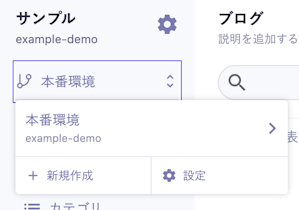
First, to create an environment, open the environment menu in the management screen.
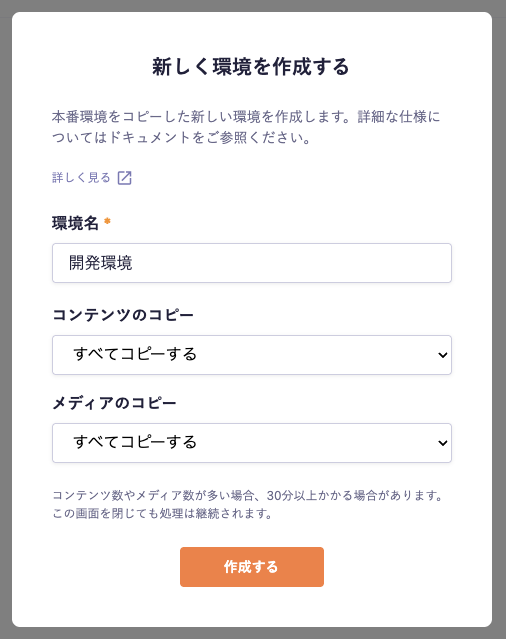
When you press the [Create New] button, a dialog for creating an environment will appear.
When creating an environment, you need to specify the environment name (any string) and the range of content and media to copy. The copy range has the following patterns.
Content
Copy all
Copy only published content
Do not copy
Media
Copy all
Do not copy
In the created environment, all users will have "administrator privileges." (For restrictions in the created environment, please refer to the specifications mentioned later.) Therefore, if there is information that should not be viewed, such as draft content, included in the production environment, please narrow down the copy range when creating the environment.
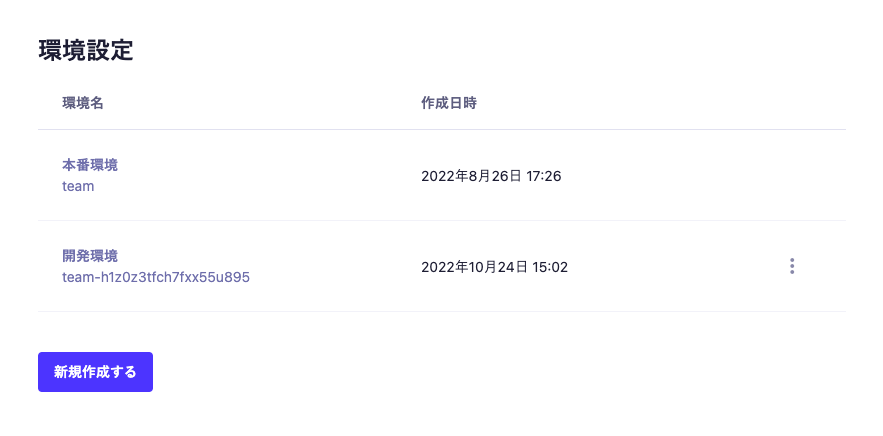
After entering the above, you can create the environment by pressing the [Create] button. Created environments can be checked in the settings screen. You can also change the environment name and delete the environment on this screen.
The source for copying environments is only the production environment. You cannot perform copies like staging environment → development environment or staging environment → production environment.
When developing a new service, it is recommended to build based on the production environment and create a separate environment when necessary after the release.
For staging confirmation purposes, there is also a method using draft saving and draftKey. There are related articles on construction methods, so please utilize them as well.
It is not intended to use the created environment for production. Even if the current specifications are acceptable, there is a possibility that future updates may have an impact. For use cases in a production environment, please use the production environment.
A separate subdomain with a random string will be assigned to the created environment (e.g., production environment example, created environment example-0htwv5q6lmdmk0ze4l8o).
Duplicate environment names cannot be set.
Data transfer volume will be aggregated across all environments and accounted for.
The number of API calls is unlimited. The calculation of the API limit does not include this.
The number of contents is unlimited. The calculation of the content limit does not include this.
Content (You can specify the copy range as "Copy All," "Copy Only Published Content," or "Do Not Copy")
Media (You can specify the copy range as "Copy All" or "Do Not Copy") (Note 1) (Note 2)
Caution
To prevent data inconsistency, it is essential to copy the media when copying content.
Information
(Note 2) Even if the media copy range is set to [Do not copy], the settings for the "Amazon S3 Integration" feature will be copied as default settings. For more information on handling the Amazon S3 integration feature across multiple environments, please refer to the "Amazon S3 Integration" documentation.
You cannot add or remove members. They are always synchronized with the members of the production environment.
Access to the created environment is controlled by the role "Read Permission for Environment". However, within the accessible environments, role functionalities are not available, and all members will have permissions almost equivalent to administrators.
The audit log feature is not available. Additionally, operations within the environment will not be reflected in the audit log of the production environment.
The feature to display editing members is not available.
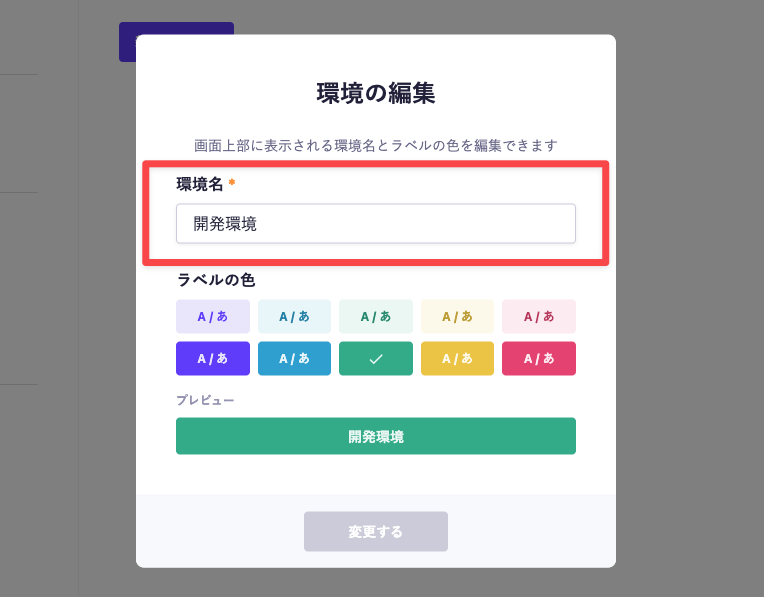
To edit the display settings for the environment, click the three-dot icon on the right side of the environment settings and select [Edit Environment]. Only members with administrator privileges can make edits.
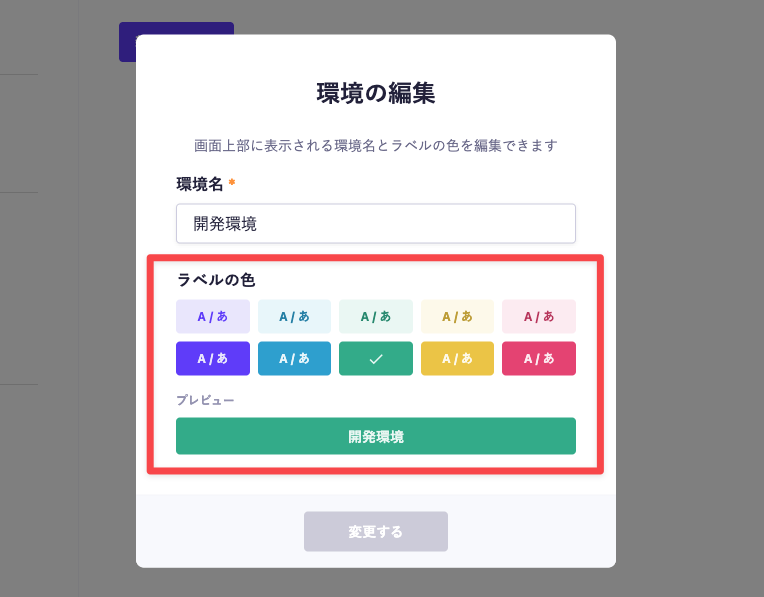
You can edit the label color in the editing screen.
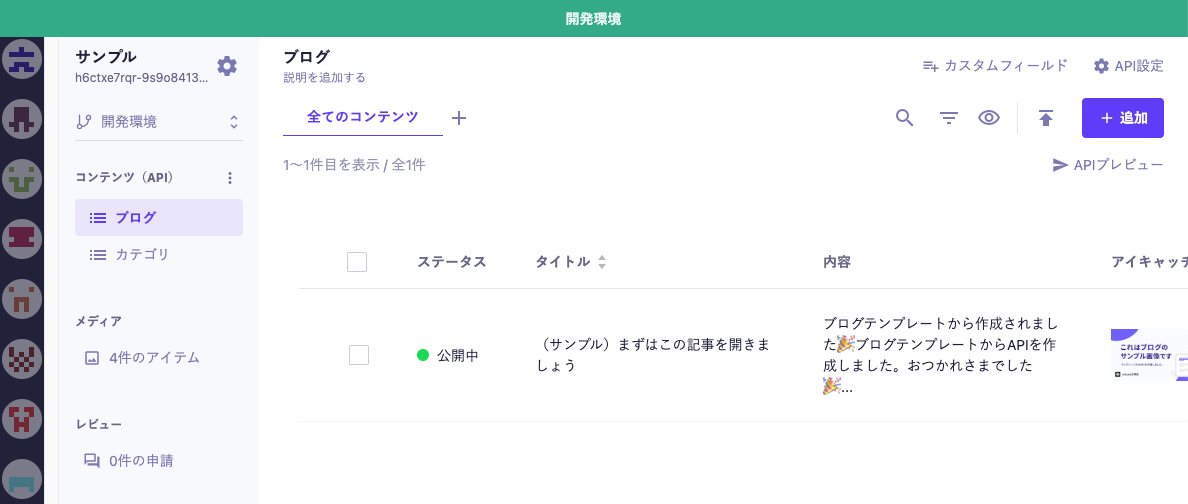
The color selected here will be reflected at the top of the screen for the configured environment. For example, if you change the label color to "Green," it will look like the image below.
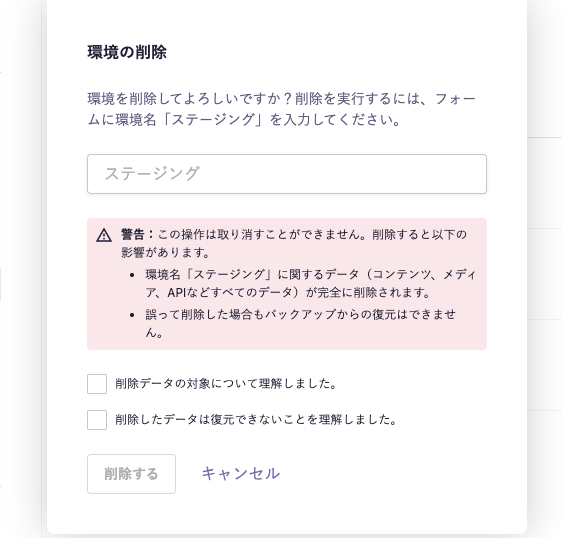
Similar to editing the display settings for the environment, you can delete it by clicking the three-dot icon and selecting [Delete Environment]. When you press [Delete Environment], a dialog like the one below will appear. Please enter the environment name in the form, review the warning items, and proceed with the deletion.
Caution
When you delete an environment, all data related to that environment (including content, media, and all API data) will be completely removed. If you delete it by mistake, it cannot be restored from a backup.
Before deletion, please ensure that there is no necessary data remaining in the target environment.

 Information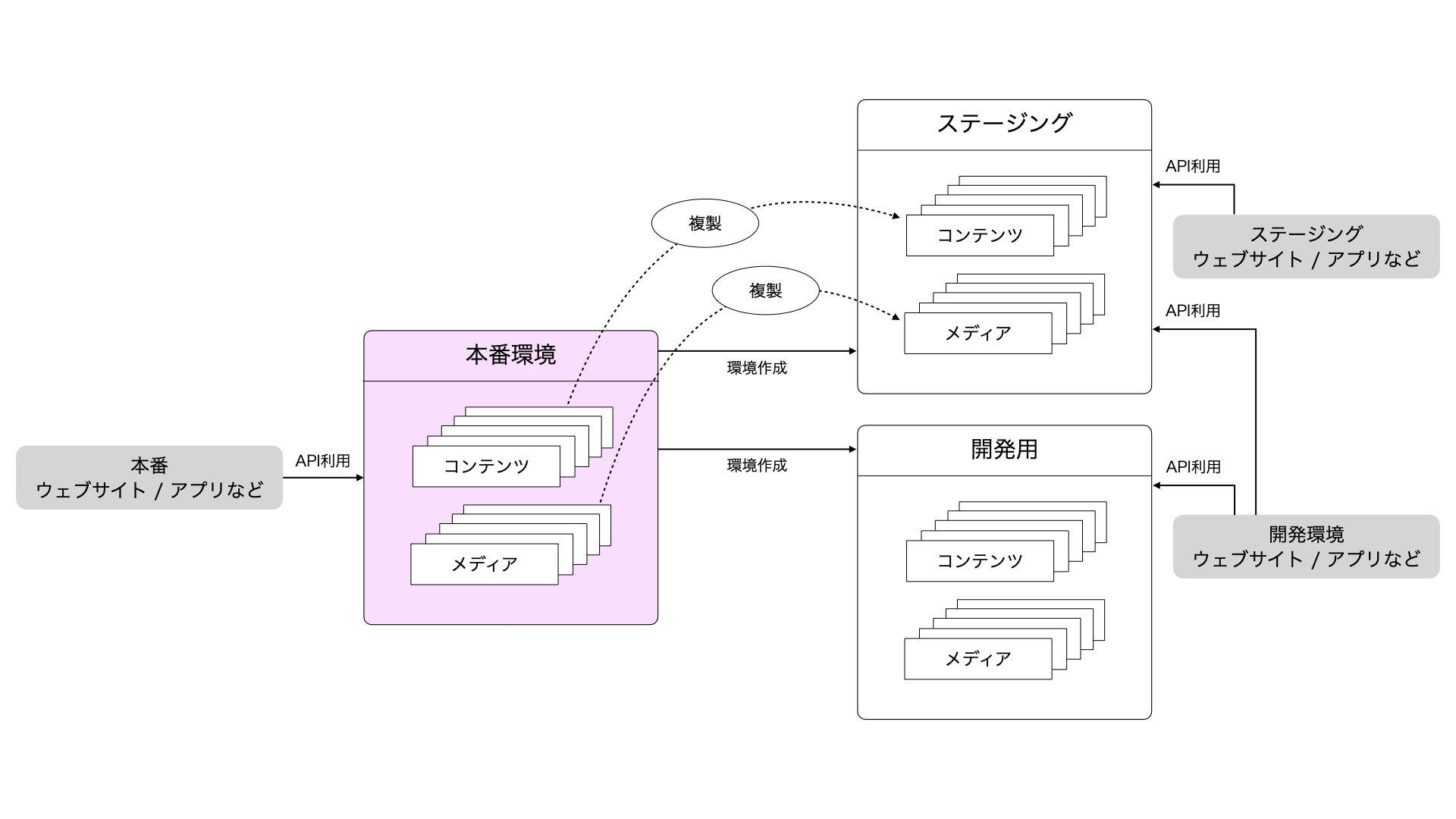
 Caution