IP Restrictions for APIs
The API IP restriction is a feature that allows you to impose IP restrictions on access to the Content API and Management API. It can be utilized to enhance security measures.
Information
The IP restriction for the API is a feature available in the Business and Enterprise plans.
For details on the features available for each plan, please refer to the pricing page.
Restricted Targets
- Content API (all endpoints)
- Management API (all endpoints)
Configuration Method
Restrictions can be set at the following levels.
- Environment (all APIs belonging to the same environment)
- API
Supports CIDR notation for IPv4 / IPv6.
Tips
- If you want to apply almost the same restrictions to all APIs, set the IP address at the environment level and override only the necessary APIs.
- If you want to restrict only specific APIs, do not set it at the environment level; instead, set the IP address for the necessary APIs.
Environment-Specific Settings
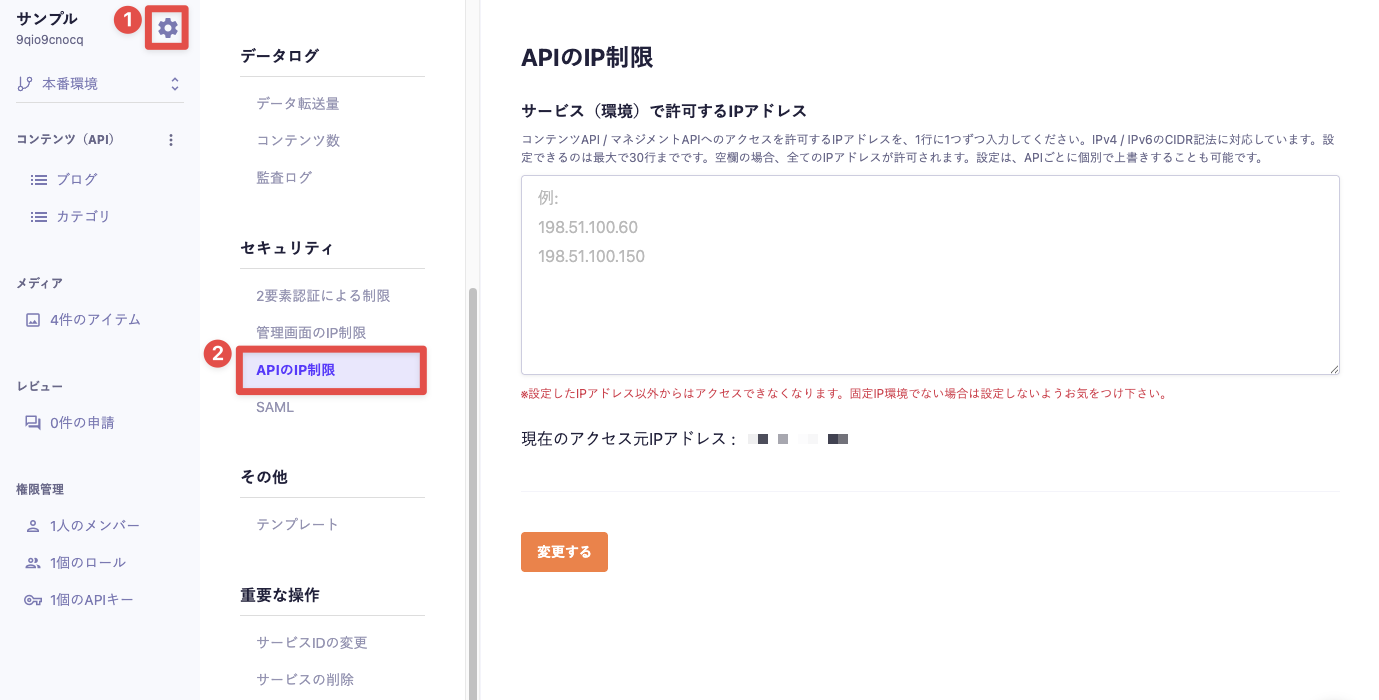
IP restrictions at the environment level can be configured from "Service Settings" → "API IP Restrictions".

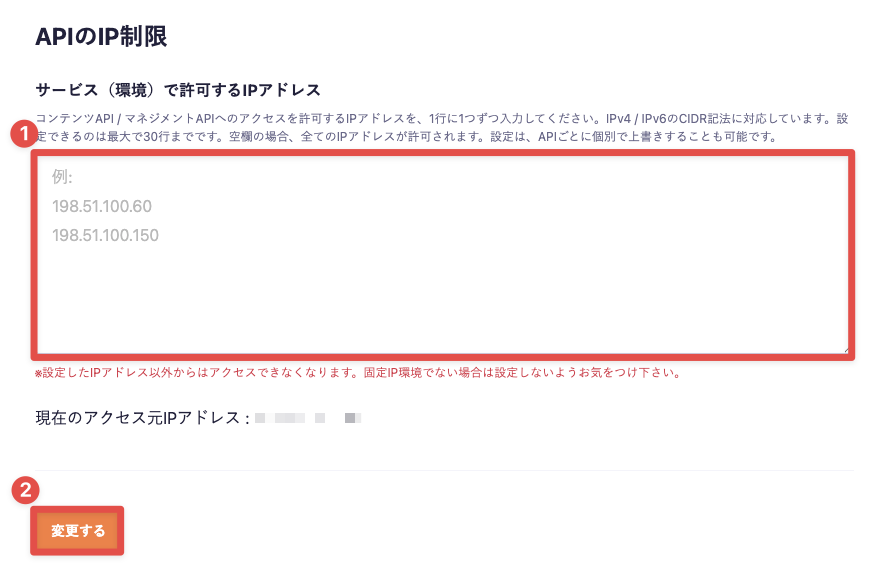
Please enter the IP addresses you want to allow access and click the "Change" button.

API-Specific Settings
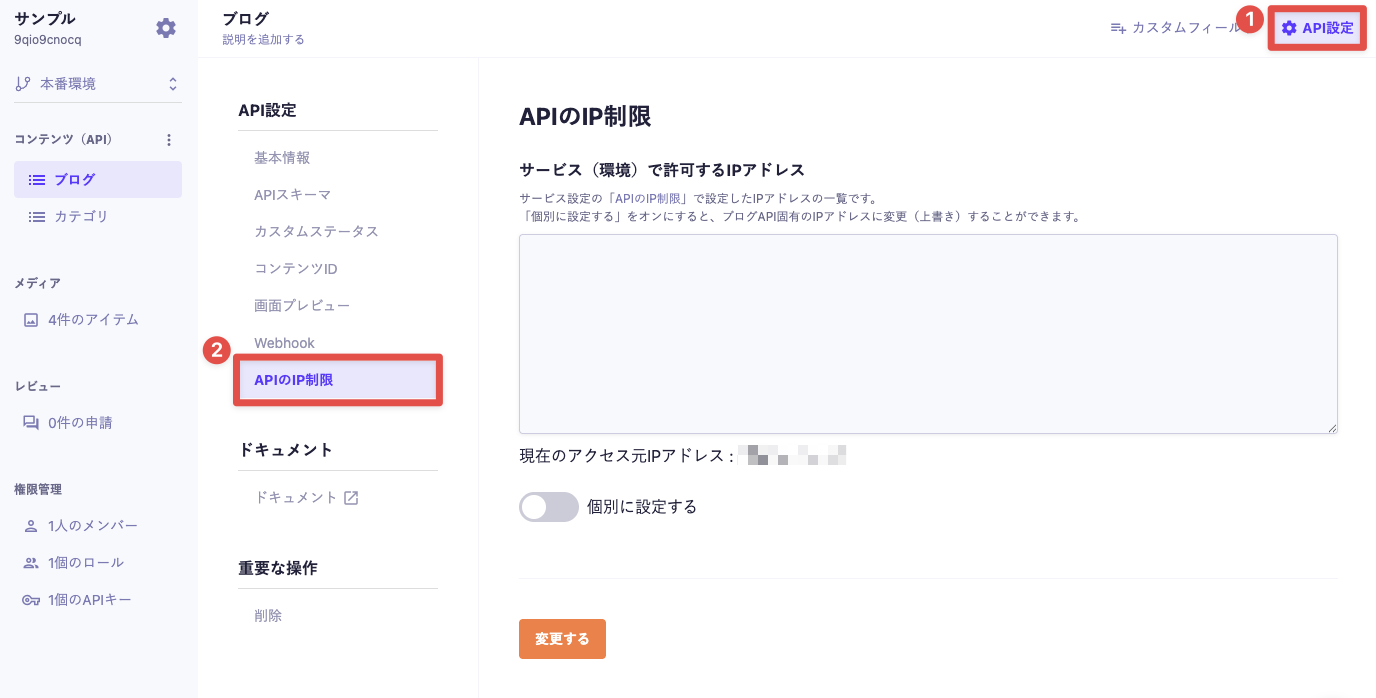
IP restrictions at the API level can be configured from the target API's "API Settings" → "API IP Restrictions".

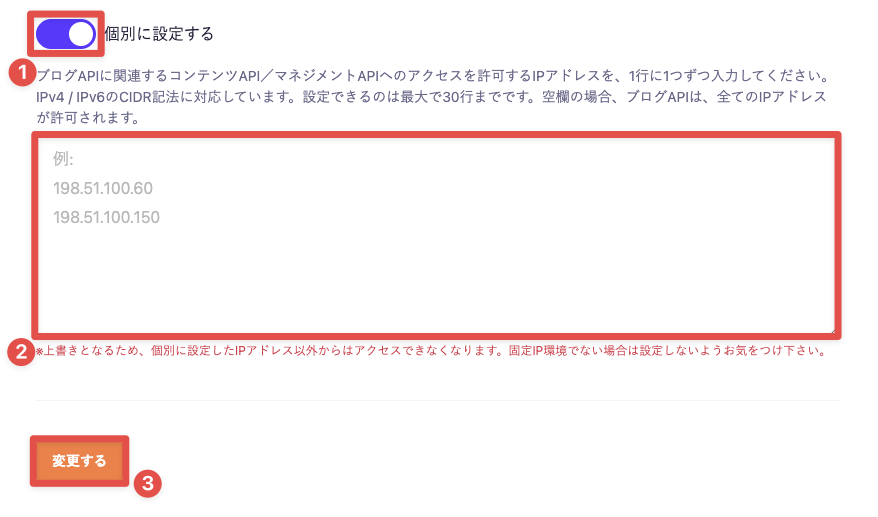
After turning on "Set Individually", please enter the IP addresses you want to allow access and click the "Change" button.

Information
The maximum number of allowed IP addresses that can be set for a single API varies by plan.
- Business Plan: 30
- Enterprise Plan: 100 (can be adjusted upon request)
Supplementary Information
When a request is made from an IP address other than the specified one
The HTTP status 400 Bad Request will be returned as a response. The message is as follows:
{
"message": "IP address rejected"
}