In microCMS, the usage of APIs and media (images, files) is referred to as "Data Transfer Volume".
The Data Transfer Volume can be checked from the "Service Settings" > "Data Log" > "Data Transfer Volume" screen in the management console (hereinafter referred to as "this screen").
Information
The monthly data transfer limit is set for each Plan, and exceeding this limit will result in charges. Please refer to the Pricing Plan for the data transfer limits and pay-as-you-go rates for each Plan.
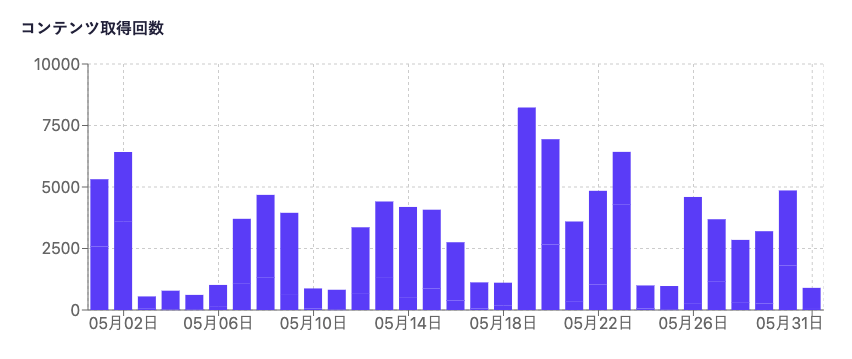
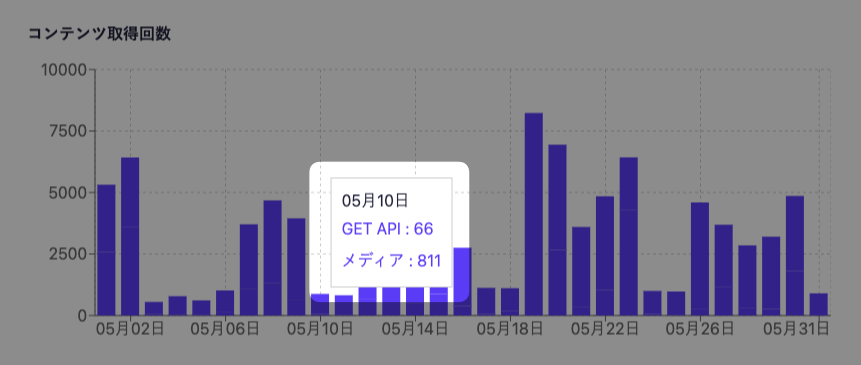
On this screen, you can check the graphs for Data Transfer Amount and Content Retrieval Count, as well as set up Data Transfer Amount Notifications. The graphs display data for one month selected from the last three months. Please choose the month you want to display from the date select menu at the top of the screen.
Information
Data older than 3 months cannot be accessed. Thank you for your understanding.
The reading of media stored in the external S3 bucket managed by the customer using the "Amazon S3 Integration" will not be reflected in the "Data Transfer Volume" and "Content Retrieval Count" graphs.
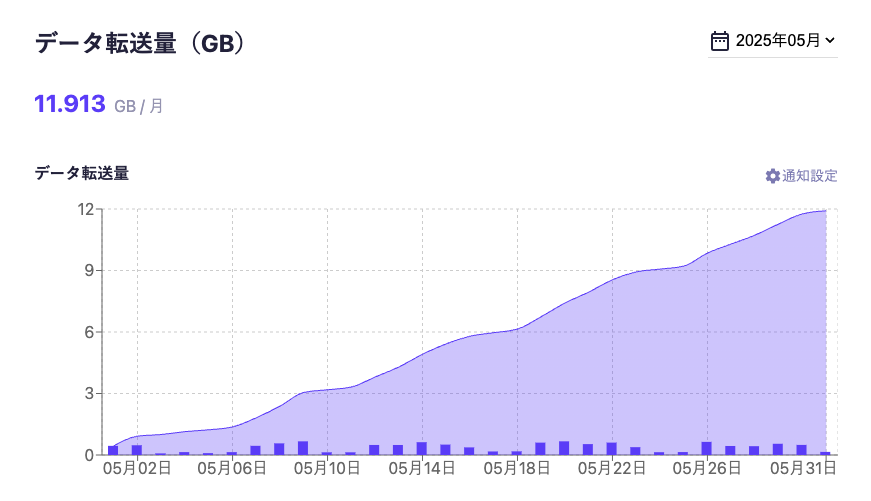
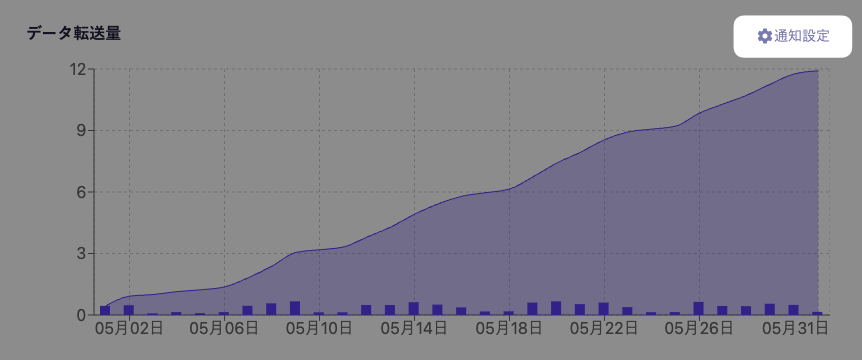
The data transfer amount represents the usage of the API and media (images, files), as explained at the beginning. The value displayed above the graph indicates the data transfer amount for the current month (GB).
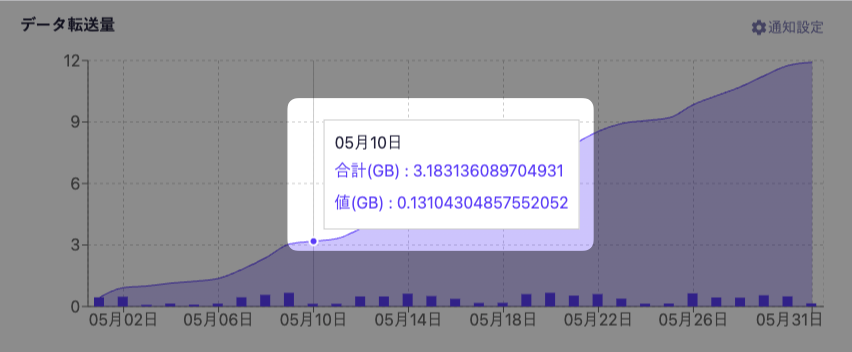
The following items can be confirmed in this graph:
Total data transfer amount per month
Data transfer amount per day
Additionally, when you hover the mouse cursor over the graph, you can check the data transfer amount for the day and the total data transfer amount from the beginning of the month to the current day.
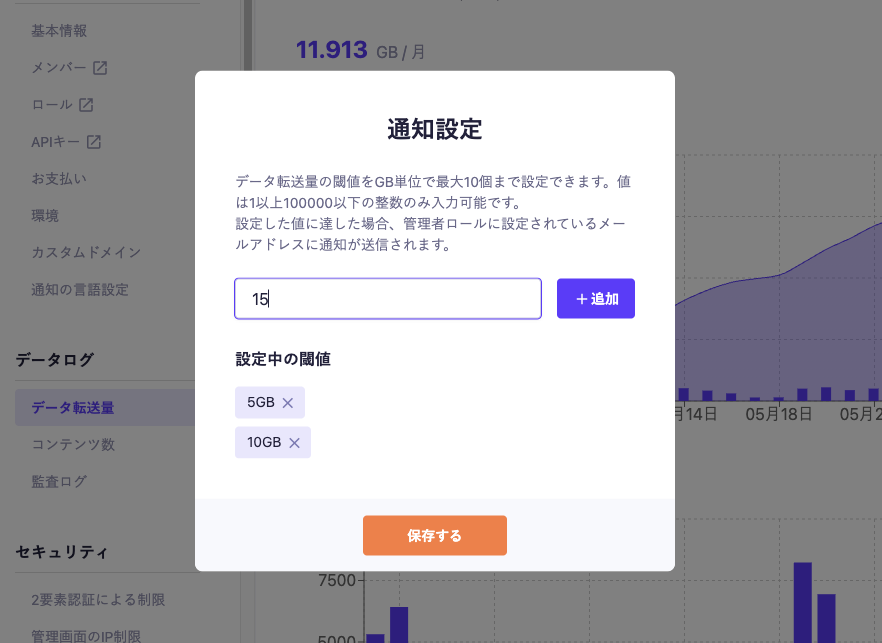
By clicking on [Notification Settings], you can configure email notifications to members with the administrator role when the data transfer amount reaches the specified value.
Information
The feature to notify at any data transfer volume is available in the Team, Business, and Enterprise plans. In the Hobby plan, notifications are sent via email when reaching 10GB, 16GB, and 20GB, respectively.
By entering a value and clicking [Add], you can add a threshold. To save the settings, click [Save].
Information
You can set up to 10 in GB.
The values that can be set are integers from 1 to 10,000.
If you set a value lower than the data transfer amount at the time of setting, you will not be notified for that month.
The JSON files and media data from the Content API are delivered via CDN, and if the cached data on the CDN is used for transfer, it is also included in the data transfer volume (Reference: About using Content API caching).
When converting image files using the Image API, the aggregated data is based on the file size after conversion.
Displaying uploaded images from the management screen is also included in the data transfer volume (including service images that were uploaded independently).
Data transfer within the created environment is also aggregated into the data transfer volume of the production environment.
As an exception, very small data transfers, such as a few accesses to the Content API with low data volume, may be disregarded.
Similar to data transfer volume, when content is delivered using the cache present in the CDN, it will also be counted towards the content retrieval count.
When displaying uploaded images from the management screen, it will also be included in the content retrieval count. (This includes service images that were uploaded independently).
Retrievals within the created environment will also be aggregated and counted towards the content retrieval count of the production environment.

 Information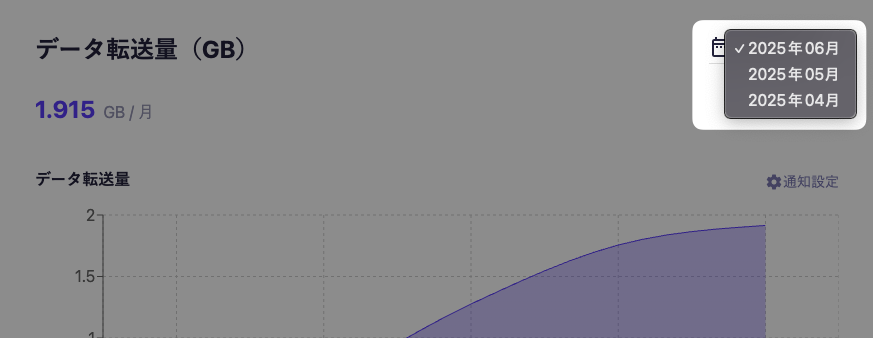
 Tips
Tips