Change of Pricing Plan
The pricing plan can be changed freely at any time from the settings screen.
If you follow the service creation procedure, the service will start with the Hobby plan (free plan). If you wish to use a higher plan, please follow the steps below to make the change.
How to Change Your Pricing Plan
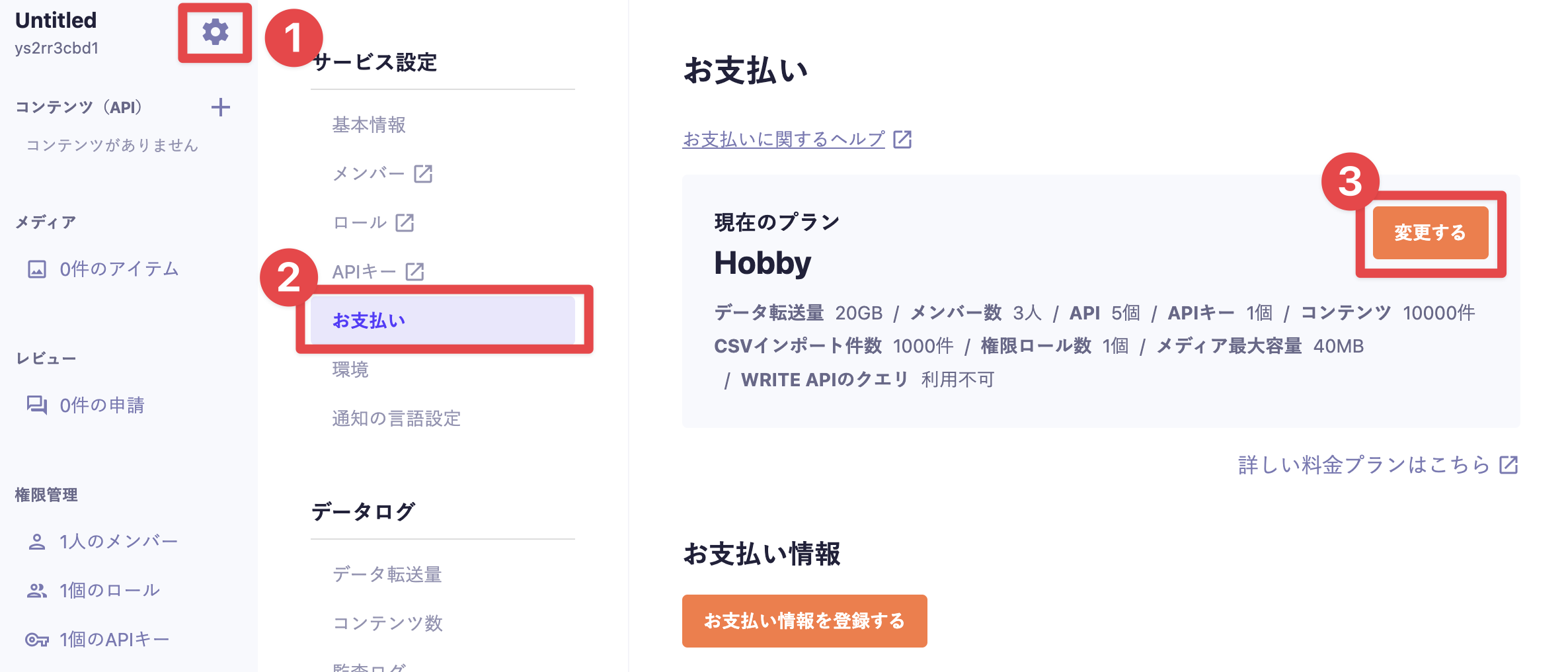
1. Click the gear icon in the sidebar to open the service settings.
2. Click [Billing] to navigate to the billing settings screen.
3. Click [Change].

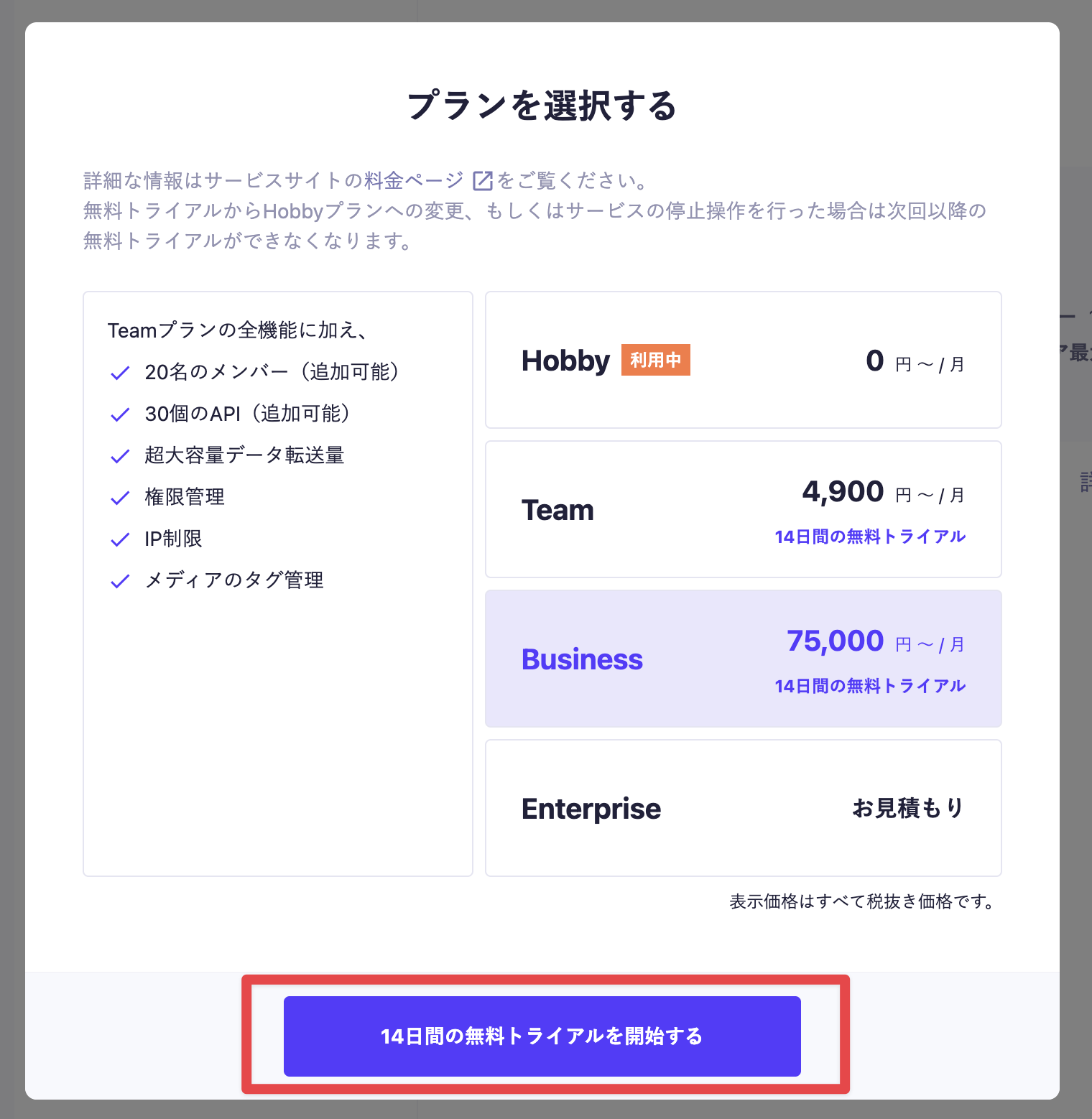
4. Select the plan you want to use and click the [Start 14-Day Free Trial] button.

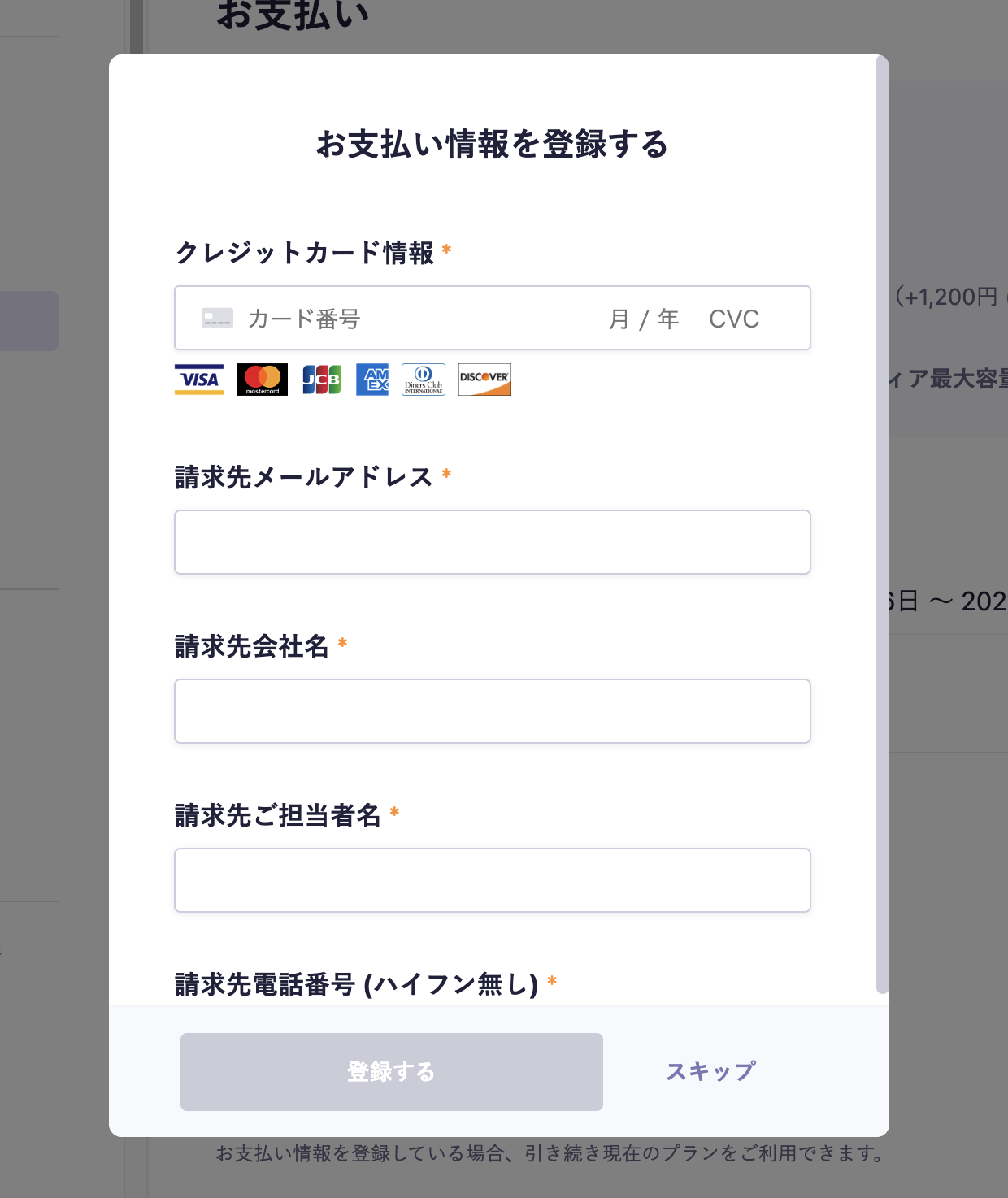
5. The payment information registration screen will be displayed, so please fill out the form (this step can be skipped).

Information
When registering or changing credit card information, you may be required to verify your identity. In such cases, please follow the instructions on the identity verification screen that appears to complete the verification process.
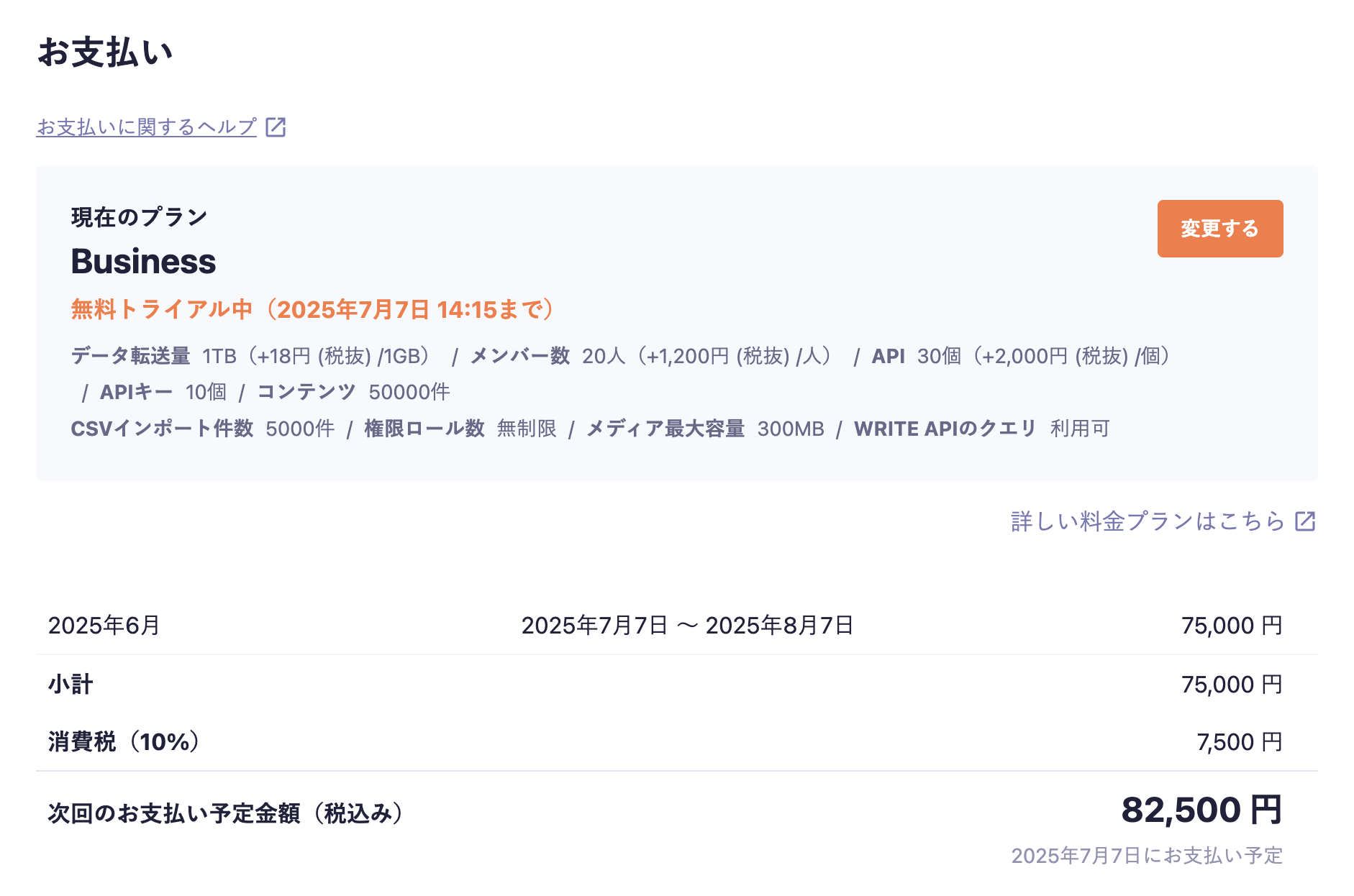
6. A 2-week free trial will begin

Information
If you switch to the Hobby plan during the free trial of a paid plan, the free trial will end immediately, and you will not be able to conduct it again afterwards.
7. Billing will begin one month in advance from the end of the trial period.
Caution
If your payment information is not registered at this point, you will automatically revert to the Hobby plan (free plan). Please note that if any metrics or settings exceed the limits of the plan when reverting to the Hobby plan, media delivery/API will be suspended immediately.
Reference Help: What happens if the data transfer exceeds 20GB/month on the Hobby plan?
Information
For information about the payment cycle after the trial period ends, please refer to the help article "What is the payment cycle in terms of days?".
Contents