As a premise, microCMS is a headless CMS, which means it does not have a visual interface, and thus the preview mechanism fundamentally differs from traditional CMSs.
To implement the preview, it is necessary to establish a mechanism on the frontend to fetch draft content from microCMS and render it. For this, the Content ID to uniquely identify the content and the draftKey to retrieve the draft content need to be passed to the frontend as part of the URL.
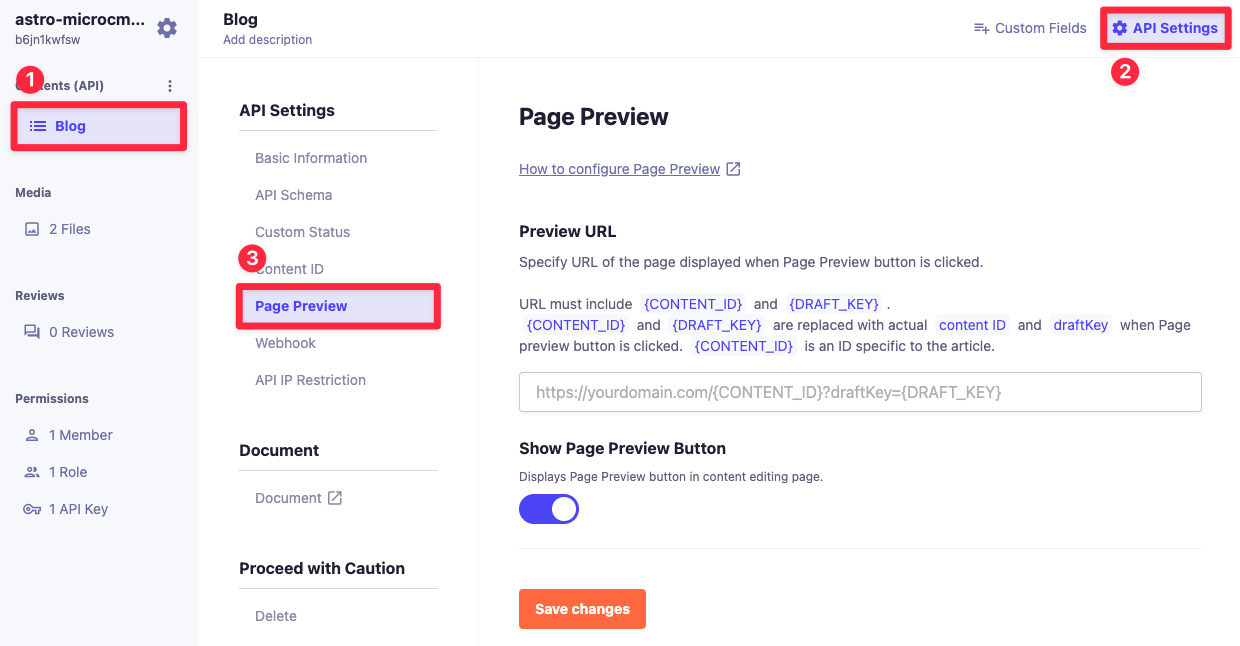
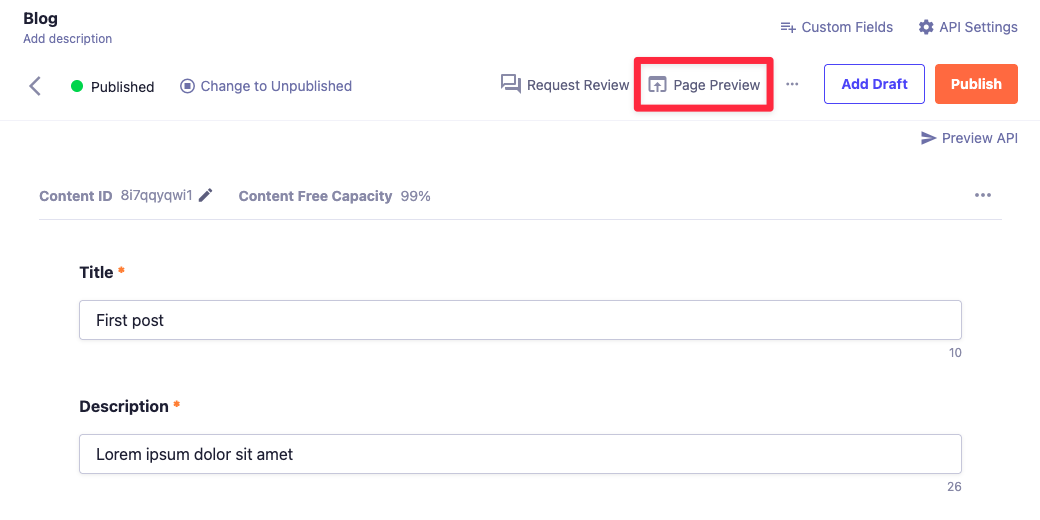
In microCMS, the management screen provides a feature for setting a dynamic URL for preview from the content detail screen, which is referred to as the screen preview feature. This document describes how to configure that setting.
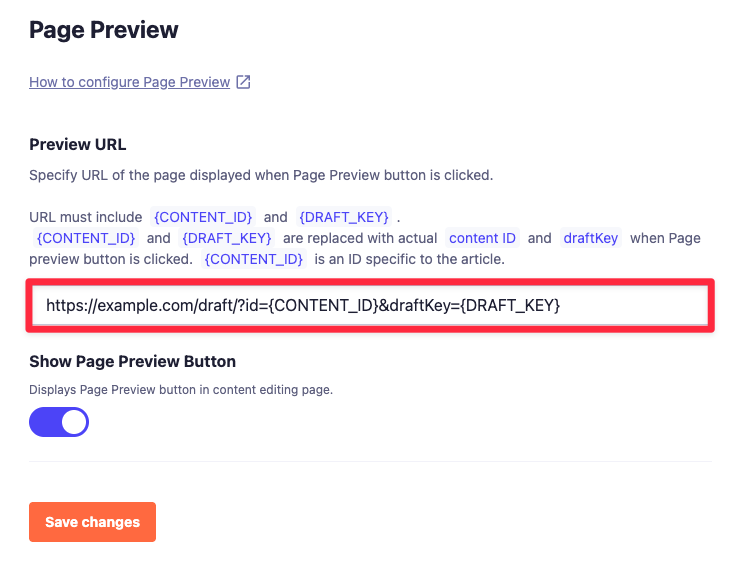
4: In the "Redirect URL" field, set the URL you want to link to and click "Change".
By making this configuration, you can access a URL that includes the Content ID (CONTENT_ID) and draftKey as dynamic values from the screen preview button in the content detail screen.
On the frontend, by retrieving these values from the URL, it becomes possible to access the microCMS API and fetch the data.
Information
Only one instance of {CONTENT_ID} and {DRAFT_KEY} can be used in the URL. Please note that any additional instances will not be replaced.

 Information