To facilitate the creation of similar APIs in other services, microCMS supports the export and import of API schemas.
By exporting the API schema as a JSON file and importing this JSON file during API creation, you can eliminate the need for manual configuration.
You can also obtain the API schema using the API.
For more details, please refer to the Management API documentation.
First, let’s explain how to export.
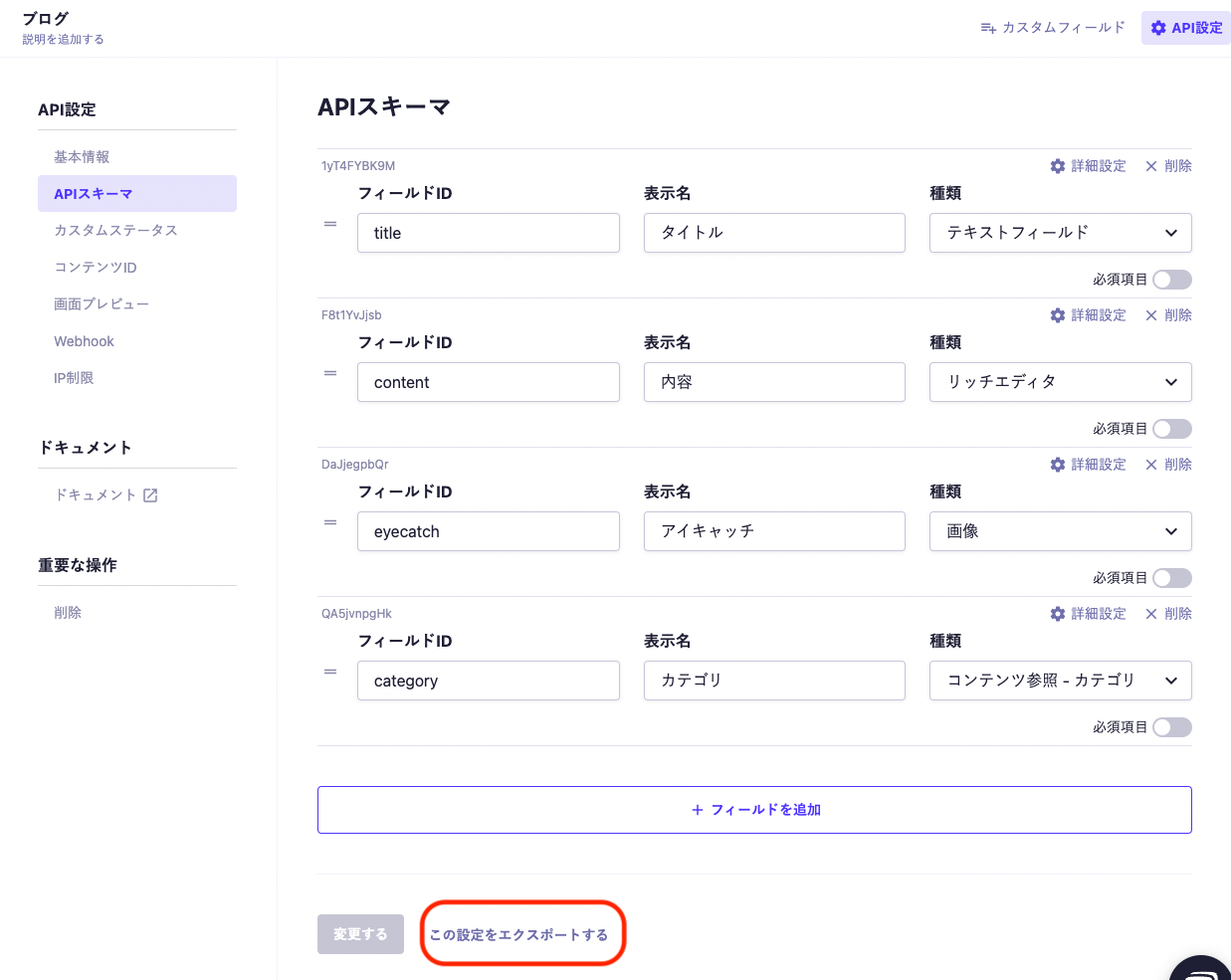
Select the content for which you want to export the API schema, then choose "API Settings" → "API Schema".
Next, a button labeled "Export this setting" will appear at the bottom of the screen, so please click it.
You can download the resulting JSON file.

Depending on your permissions, you may not be able to access this screen or perform the import operations listed below.
In such cases, please check the permission management status or contact your service administrator.
First, let’s explain how to import.
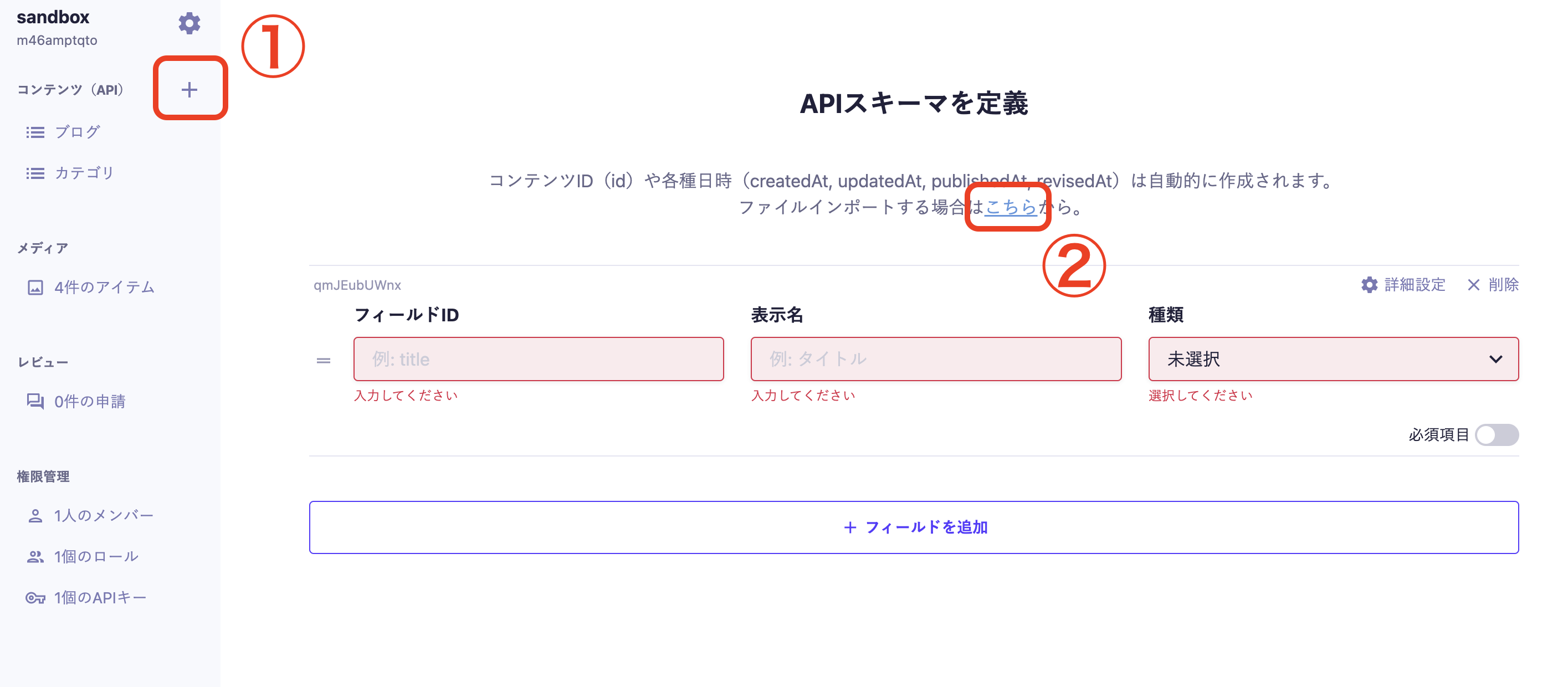
Start by creating an API from the menu on the left side of the Administration console (①). After entering the basic information and selecting the API type, the screen for "Defining API Schema" will appear. Please select a file from the link "If you are importing a file, click here" (②).

The JSON file used for import can be prepared in one of the following ways.
You can export an existing API schema and import that JSON file directly. This method is suitable for duplicating schemas to a different project or environment.
If you want to freely construct a specific field configuration, you can create a JSON file according to the specifications in this document.
Since creating from scratch can easily lead to structural errors, it is recommended to download the JSON below and edit it for use.
The JSON for import consists of two arrays: apiFields for defining fields and customFields for defining custom fields.
Below is an example of JSON data.
{
"apiFields": [
{
"fieldId": "title",
"name": "Title",
"kind": "text",
"description": null,
"required": false,
"textSizeLimitValidation": null,
"patternMatchValidation": null,
"isUnique": false,
"initialValue": null
},
{
/* Add subsequent standard fields here */
}
],
"customFields": [
{
"fieldId": "profile",
"name": "Profile",
"fieldOrderByColumn": [["name"], ["bio"]],
"fields": [
{
"fieldId": "name",
"name": "Name",
"kind": "text",
"description": null,
"required": false,
"textSizeLimitValidation": null,
"patternMatchValidation": null,
"isUnique": false,
"initialValue": null
},
{
"fieldId": "bio",
"name": "Self Introduction",
"kind": "textArea",
"description": null,
"required": false,
"textSizeLimitValidation": null,
"patternMatchValidation": null,
"initialValue": null
},
{
/* Add subsequent fields within this custom field here */
}
]
},
{
/* Add subsequent custom fields here if defining more */
}
]
}The properties and constraints that can be specified for each field and custom field are generally the same as those for apiFields / customFields specified in the request body of the Management API POST /api/v1/apis.
Please refer to the documentation below for more details.
In the Content Reference and Multiple Content References fields, specify the endpoint of the referenced API in referencedApiEndpoint.
In the Management API's API creation request, specifying the referenced API is mandatory; however, in the import JSON, you can specify null for referencedApiEndpoint to load it.
If you import without specifying the referenced API, please set the referenced API from the Administration console after the import.
When building custom fields and repeat fields, it is essential to accurately define the hierarchical data structure. To prevent structural errors from creating from scratch and to facilitate smoother setup, please utilize the following pre-structured sample JSON as a base.