microCMS

Boolean

The boolean field is a field that manages two states: true or false. It is used as a flag for conditional branching, such as toggling display or showing/hiding sections.

Data Submission Method

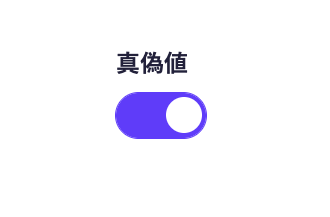
A screenshot of the boolean field switch UI. The blue state on the right indicates true, while the gray state on the left indicates false.


You can submit data using a toggle switch UI in the management screen.

  • When the switch is in the right position (colored), it is saved as true.
  • When the switch is in the left position (colorless/gray), it is saved as false.


For submission using API and CSV, please refer to the following documentation.

Setting Item

Description

Required Field

When set to ON, input is required during submission.

Description Text

This is the description text displayed on the submission screen.

Default Value

You can set the default value to true or false. The default is false.

Response Format of GET API

Please refer to the documentation below for details.

How to Use in Frontend

Using the value of the boolean field (true / false) as a criterion, you can control the display or hiding of components and switch styles. It is used for dynamic layout changes, such as displaying a specific banner only when the value is true.
Below is an implementation example in Next.js.

export default async function Page({ params }) {
  const { slug } = await params;

  // Fetch data using the microCMS JavaScript SDK
  const data = await client.getListDetail({
    endpoint: "blog",
    contentId: slug,
  });

  return (
    <main>
      {/* boolean is the field ID. Please replace it with the actual field ID */}
      {data.boolean && <span>Limited Release Content</span>}
    </main>
  );
}