Audit Log
The audit log is a feature that allows you to check the actions performed by members on the management screen and the details of operations via the API. Please use it as part of your security measures.
Please note that the audit log isonly available to members with administrator privileges..
Information
The audit log is a feature available with the Enterprise plan.
A free trial is also possible, so please contact us via the contact form if you are interested.
For information on features available with each plan, please refer to the pricing page.
How to Check Audit Logs
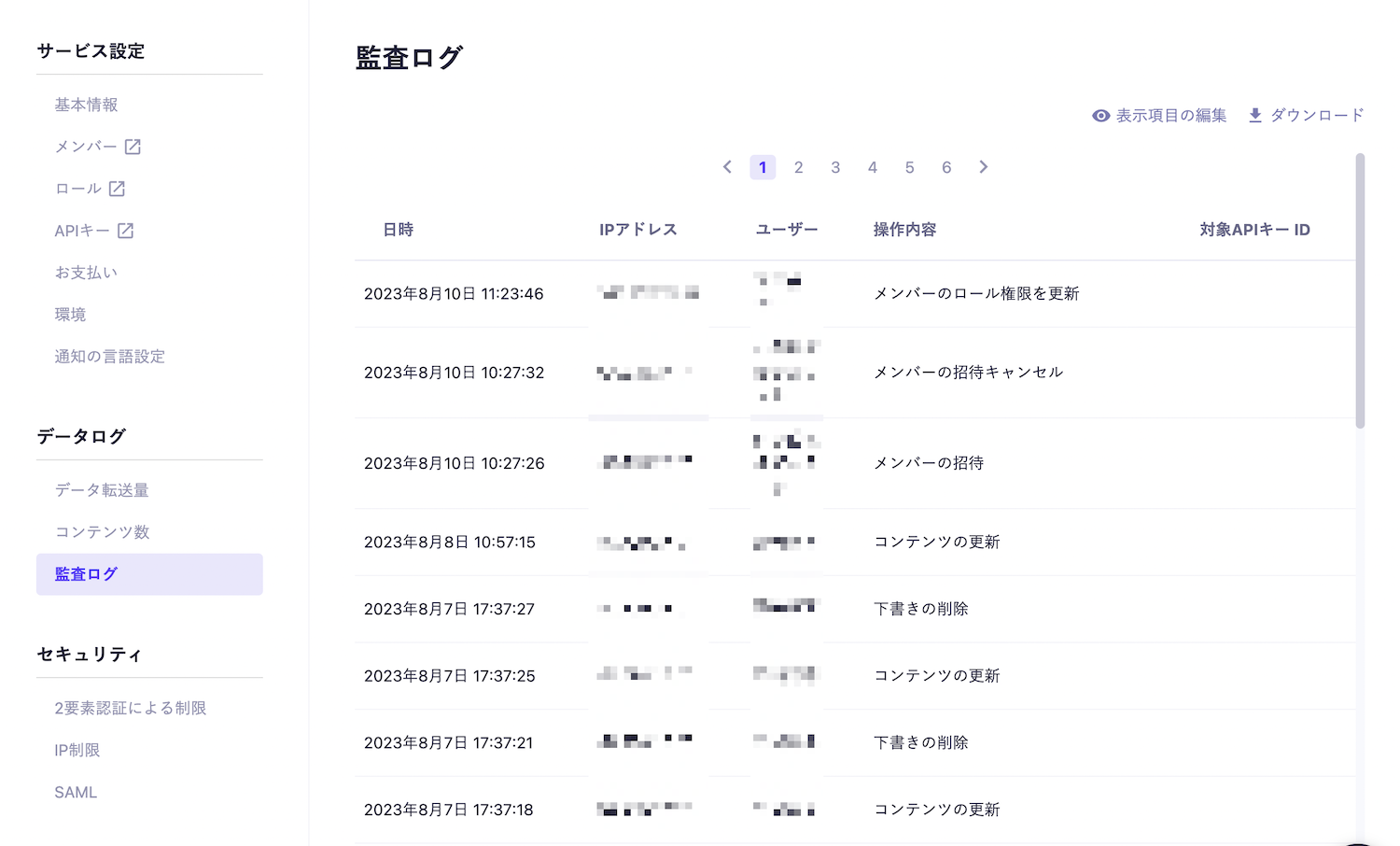
You can check the audit logs from "Service Settings" > "Data Logs" > "Audit Logs".

Editing Display Items
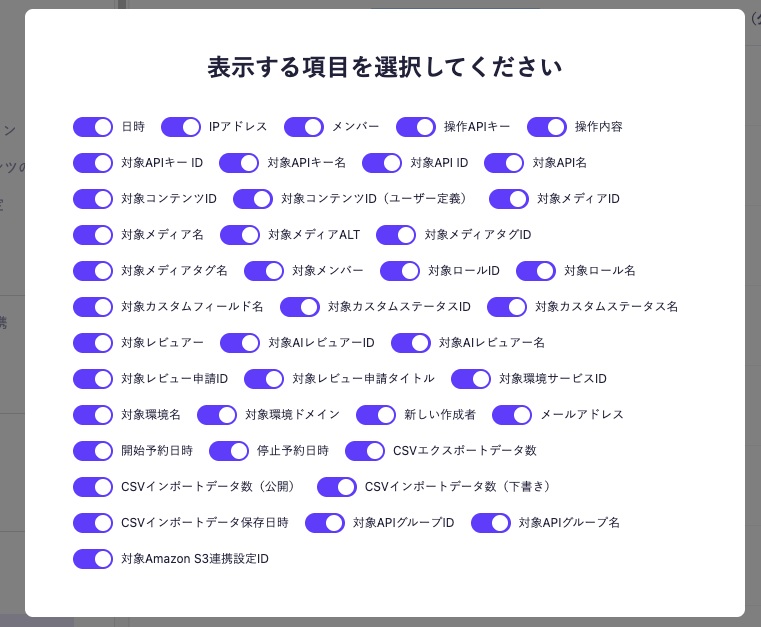
You can select which items to display in the log list.
Click the [Edit Display Items] button in the upper right corner and check the necessary items.

Information
Currently, there are no restrictions on the retention period for audit logs. (You can review all logs after the implementation of the audit log feature.)
Operations Subject to Audit
The following operations within the service are subject to audit.
Operations in the Admin Panel
Target | Operation Details |
|---|---|
Service | Create, delete, update, update ID, update language settings, update two-factor authentication requirement, update editing restrictions for reserved content |
API | Create, update, delete, update API description |
API Group | Create, rename, delete |
API Key | Create, update, delete |
Custom Field | Create, update, delete |
Custom Status | Add, update, delete |
Webhook (Content) | Create, update, delete |
Webhook (Media) | Create, update, delete |
Content | Create, update, delete, delete drafts ("Published and Draft" content), update publication date, update ID, update creator, update draftKey, update order, update reservation settings, update multiple content creators, update multiple contents, delete multiple contents, delete all contents, complete CSV import |
Media | Add, update, delete, update media name, update media tags, update media creator, update multiple media creators |
Media Tag | Create, update, delete |
Member | Add, invite, delete, cancel invitation, update role permissions |
Role | Create, update, delete |
Review | Create, update, change status, create comment, delete comment, add reviewer, delete reviewer, end review request and publish content, end review request and stop publishing content |
AI Review | Execute AI review, auto-execute AI review, create AI reviewer, update AI reviewer, delete AI reviewer, update settings for using AI review feature |
Multiple Environments | Create, delete, update environment display settings |
Payment Information | Add, change company name, change phone number, change billing contact name, change email address, change credit card, delete credit card, change payment method |
Plan | Change plan, resume, suspend, add add-ons |
Amazon S3 Integration | Create, update, delete |
AI Features | Update settings for using AI features |

Information
- Read operations are not recorded.
- Login/logout operations are not recorded (as microCMS allows multiple services to be logged in with a single account).
- [Plan] Plan changes apply to changes to Hobby, Team, and Business plans.
- [Plan] Add-ons are only applicable if you are using a plan that was previously offered.
Operations via API
Operations performed through the Content API and Management API are also recorded in the audit log.
In the case of operations via API, the name of the API key used for the operation is recorded in the "Operation API Key" column instead of "Member".
Content API
The following operations performed through the Content API are recorded in the audit log.
API Endpoint | Recorded Operations |
|---|---|
POST /api/v1/{endpoint} | Content Creation |
PUT /api/v1/{endpoint}/{content_id} | Content Creation |
PATCH /api/v1/{endpoint}/{content_id} | Content Update |
DELETE /api/v1/{endpoint}/{content_id} | Content Deletion |
Management API
The following operations performed through the Management API will be recorded in the audit log.
API Endpoint | Recorded Operations |
|---|---|
PATCH /api/v1/contents/{endpoint}/{content_id}/status | Update content or delete draft (※1) |
PATCH /api/v1/contents/{endpoint}/{content_id}/createdBy | Update creator |
POST /api/v1/media | Add media |
DELETE /api/v2/media | Delete media |
(Note 1) The recorded operation details vary depending on the status before and after the change.
Change Details | Request Body Status | Operations Supported in Admin Panel | Recorded Operation Details |
|---|---|---|---|
"Draft" → "Published" | PUBLISH | Publishing draft content | Content update |
"Published" → "Draft" | DRAFT | Reverting published content to draft | Content update |
"Published and Draft" → "Published" | PUBLISH | Discarding draft | Deleting draft |
Items Recorded in the Audit Log
The items recorded in the audit log are as follows:
- Date and Time
- IP Address
- Member
- Operation API Key
- Operation Details
- Target API Key ID
- Target API Key Name
- Target API ID
- Target API Name
- Target Content ID
- Target Content ID (User Defined)
- Target Media ID
- Target Media Name
- Target Media ALT
- Target Media Tag ID
- Target Media Tag Name
- Target Member
- Target Role ID
- Target Role Name
- Target Custom Field Name
- Target Custom Status ID
- Target Custom Status Name
- Target Reviewer
- Target AI Reviewer ID
- Target AI Reviewer Name
- Target Review Request ID
- Target Review Request Title
- Target Environment Service ID
- Target Environment Name
- Target Environment Domain
- New Creator
- Email Address
- Start Reservation Date and Time
- Stop Reservation Date and Time
- CSV Import Data Count (Published)
- CSV Import Data Count (Draft)
- CSV Import Data Save Date and Time
- Target API Group ID
- Target API Group Name
- Target Amazon S3 Integration Setting ID
Information
Only items related to the operation will be recorded.
Download Audit Logs
Audit logs can be downloaded as a CSV file.
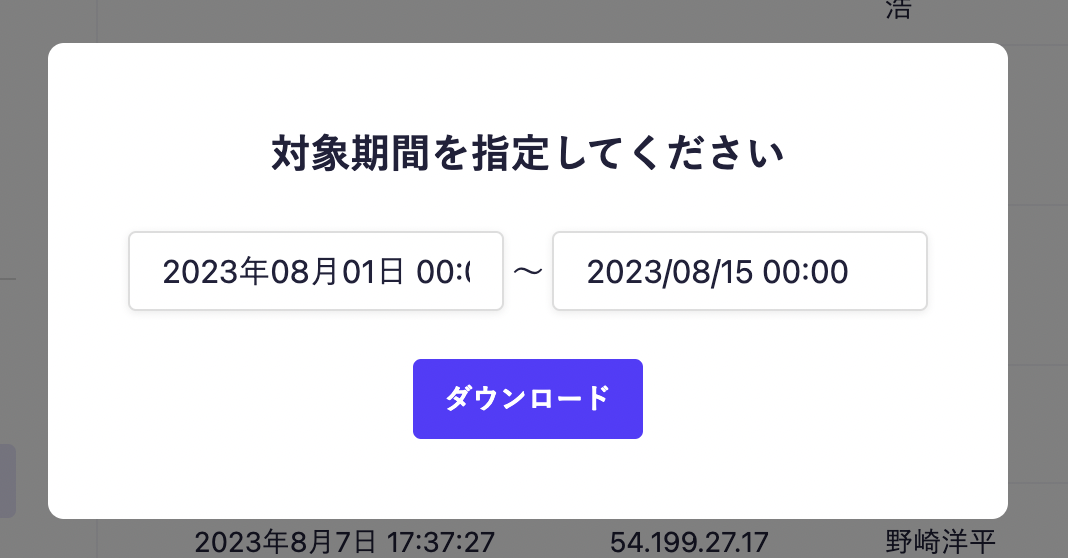
Click the [Download] button in the upper right corner, specify the target period from the modal, and execute the download.

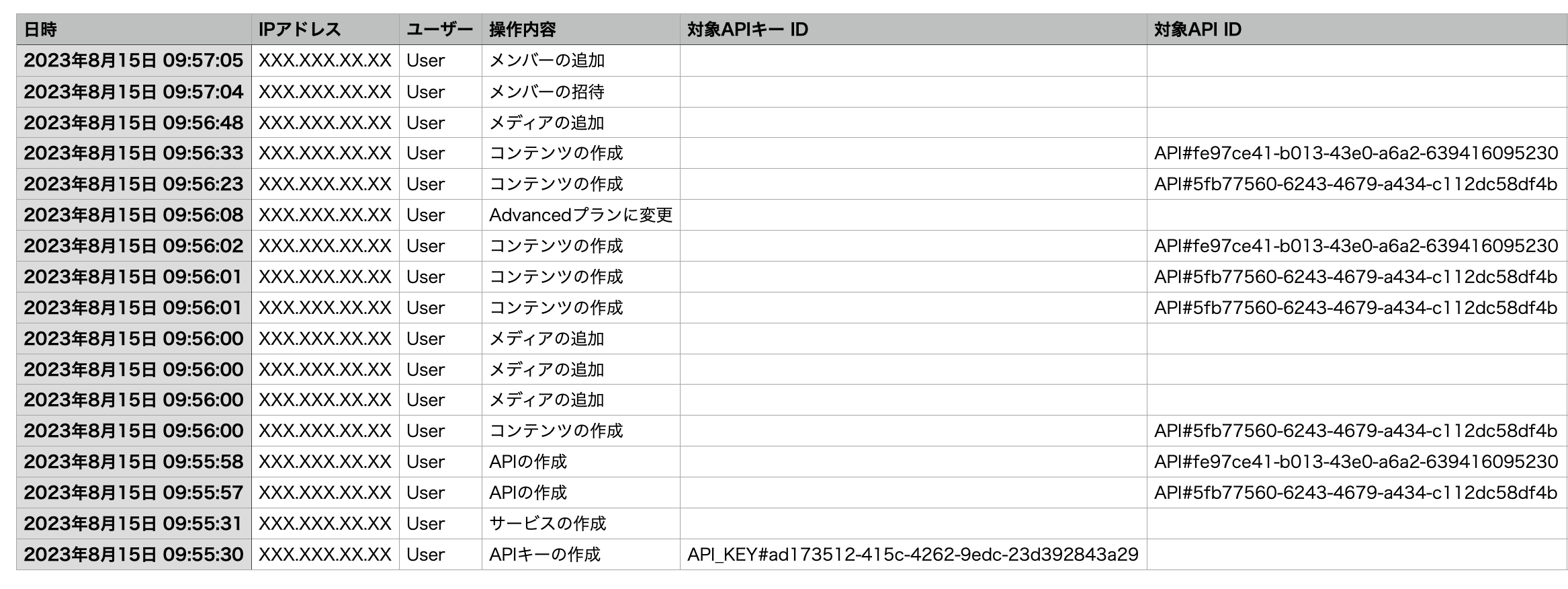
Sample Data for Audit Logs
Below is the sample data for audit logs. Please use it for your reference (Note: Some data has been modified).