API Key (API Authentication and Authorization Management)
Last updated: 2026/09/03
X-MICROCMS-API-KEY is the authentication key required for each API request (GET, POST, PUT, PATCH, DELETE). Please include the X-MICROCMS-API-KEY in the request header when sending. API keys can be created, edited, and deleted only by users with administrator privileges.
The number of API keys that can be created varies by plan.
Hobby Plan: 1
Team Plan: 3
Business Plan: 10
Enterprise Plan: 20
For details on the features available for each plan, please refer to the pricing page.
Caution
Depending on the permission settings of the API key, it may be possible to write from external sources (WRITE API requests), which could lead to draft content being published. Please handle it with care.
In particular, in a configuration where the API is called directly from the client (CSR), external users can obtain the API key. In such cases, if they know the endpoint, they can call any API, so please be cautious. Possible countermeasures include the following methods:
Grant only the minimum necessary GET permissions (to ensure that the API key can be exposed without issues)
Call the API from the server side to keep the API key confidential (to prevent exposure of the API key)
An API key is a type of authentication key used for authentication and access control when using an API. It is primarily used to verify whether the user utilizing the API has the appropriate access rights. In microCMS, an API key called X-MICROCMS-API-KEY is provided for authentication and other purposes.
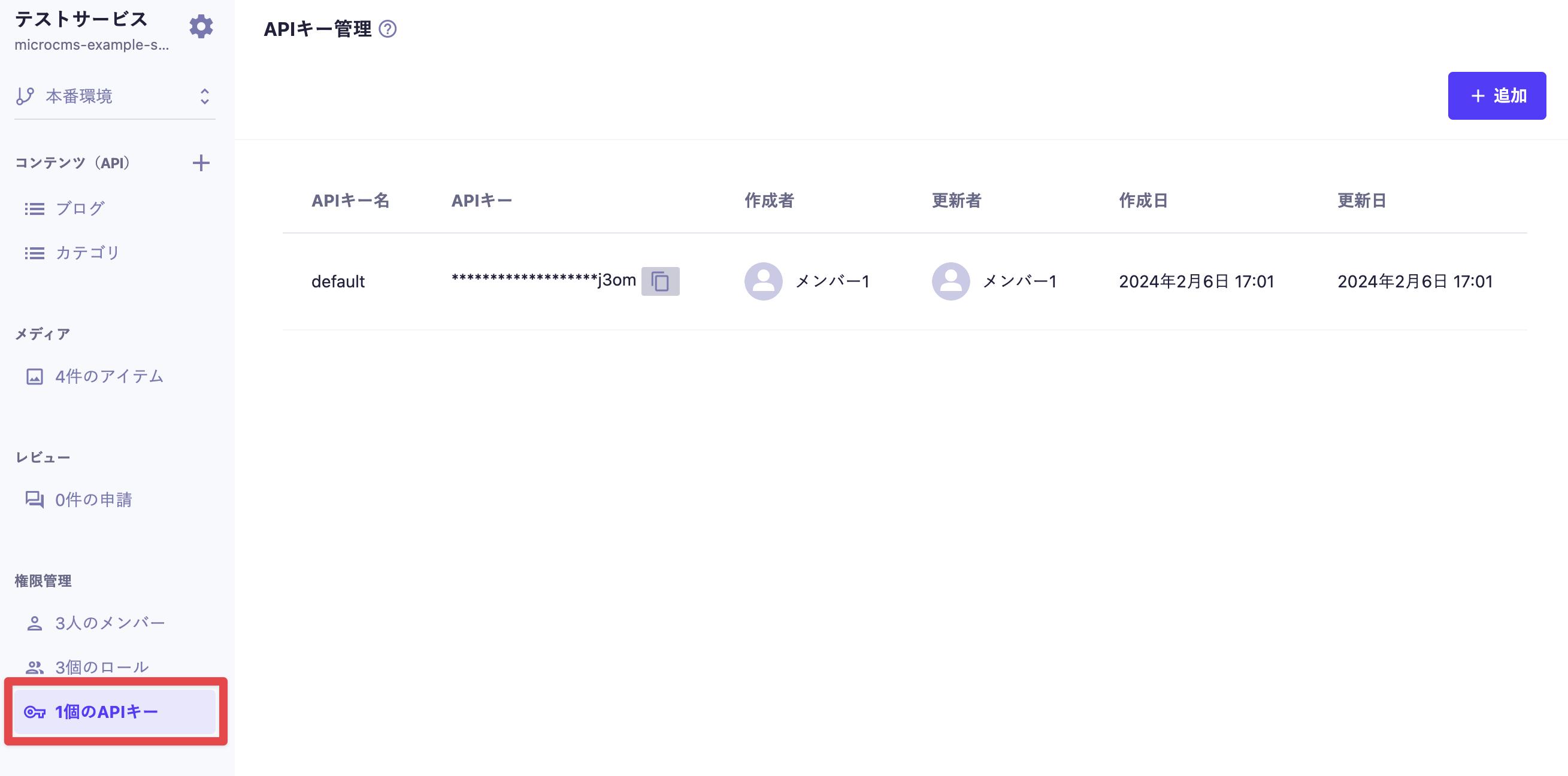
First, click on "○ API Keys" in the sidebar to navigate to the API key list screen.
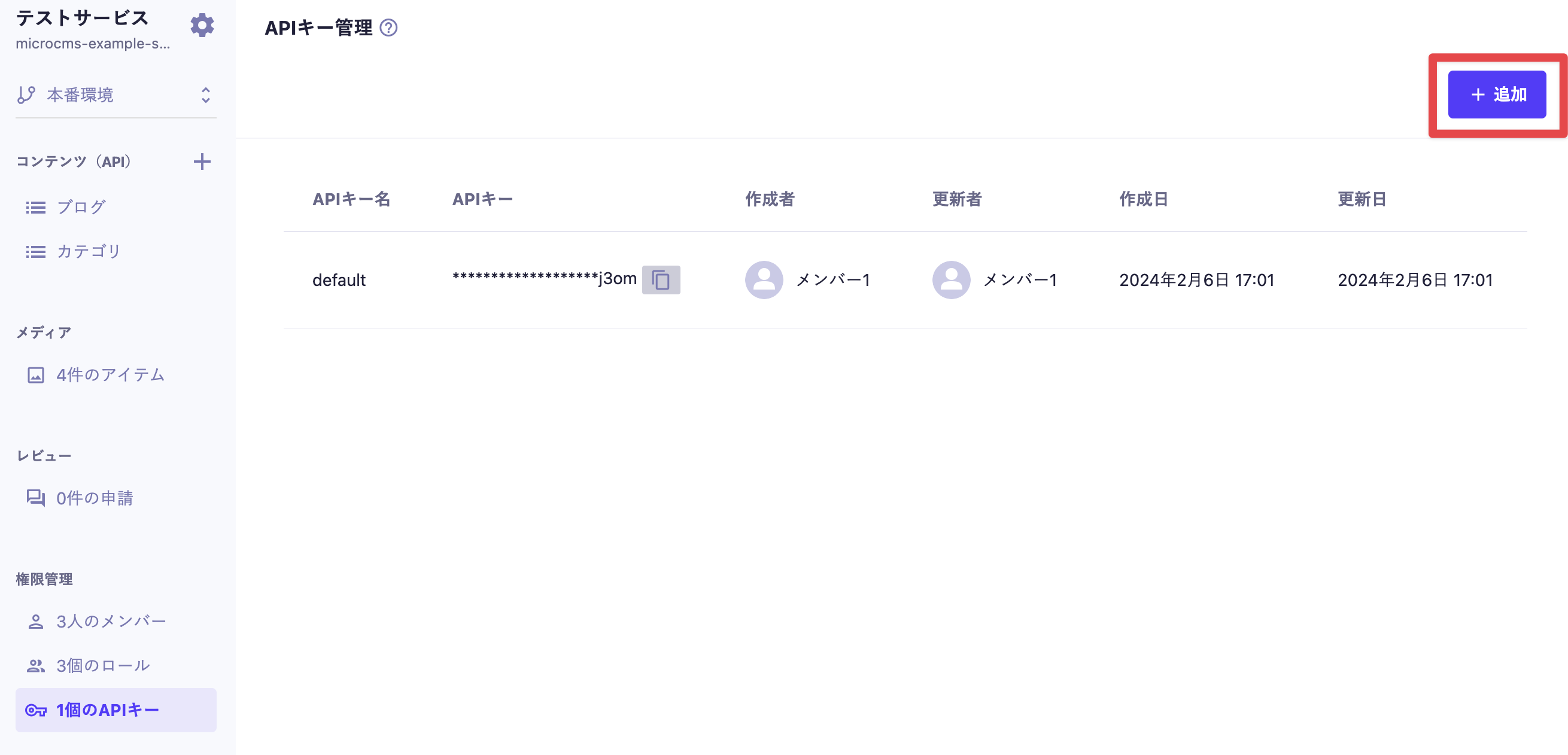
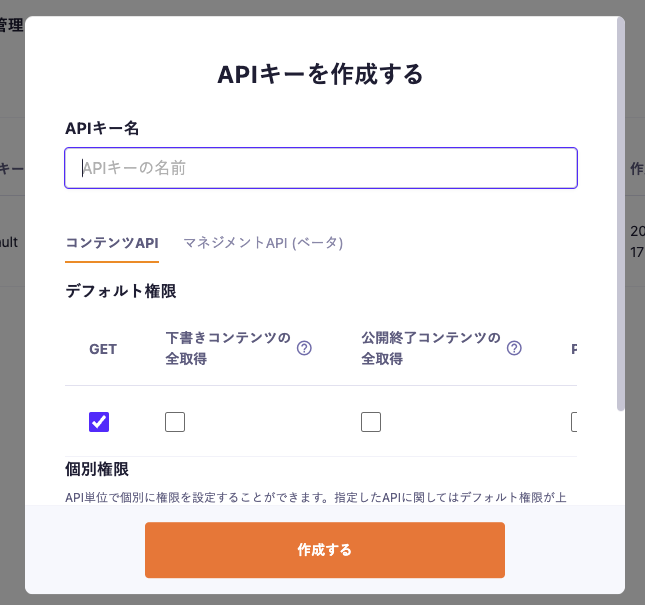
Clicking the "Add" button in the API key management list will display the API key creation modal, allowing you to create an API key.
You will set the API key name and configure the permissions granted to the API key in detail.
There are two main items in the API key settings. You can switch tabs within the modal screen, so please make the necessary settings according to your needs.
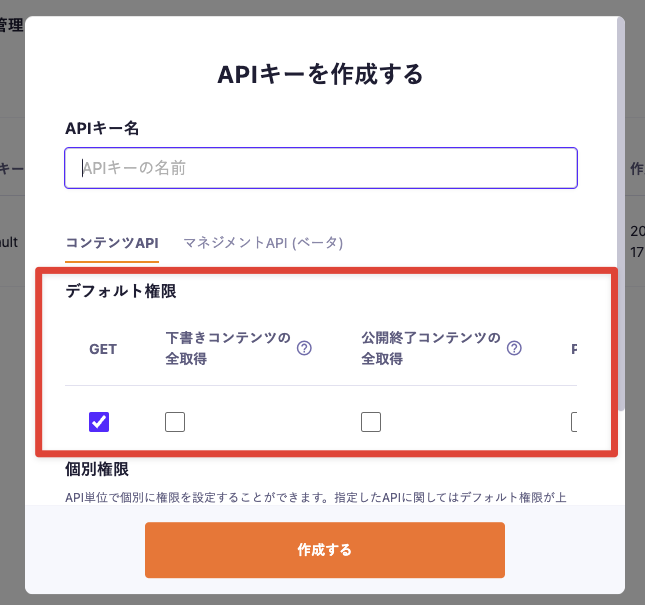
You can set the default permissions for all APIs of the service. Default permissions apply to all APIs across the entire service.
The items that can be set are as follows:
GET
Retrieve all draft content
Retrieve all expired content
POST
PUT
PATCH
DELETE
Retrieve All Draft Content
The “Retrieve All Draft Content” permission is used when retrieving multiple draft contents. Please use it when you want to check the display of a list in draft status. (To retrieve a single draft content, use draftKey.)
Retrieve All Expired Content The “Retrieve All Expired Content” permission is used when retrieving multiple expired contents. Please use it when you need to retrieve expired content for purposes such as backup.
Information
When setting up the retrieval of all draft content and the retrieval of all published content, it is necessary to grant "GET" permissions simultaneously.
Caution
In the case of content that is "published and in draft," even if the permission for "retrieve all draft content" is granted, it is designed to only search for published data. For more details, please refer to this help article.
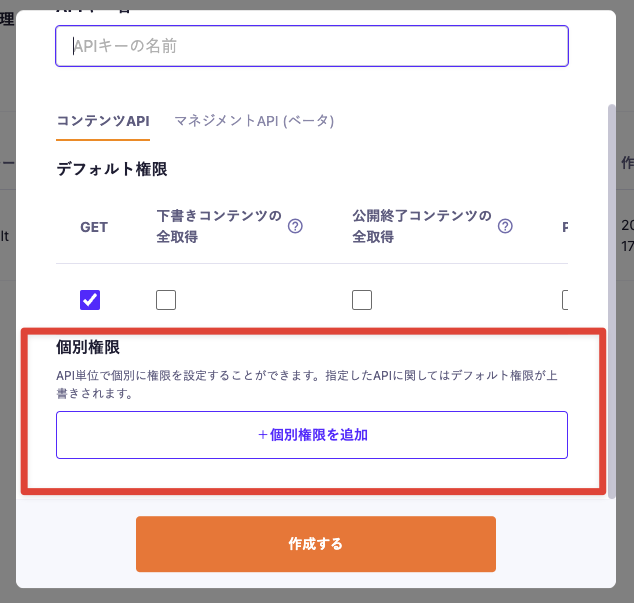
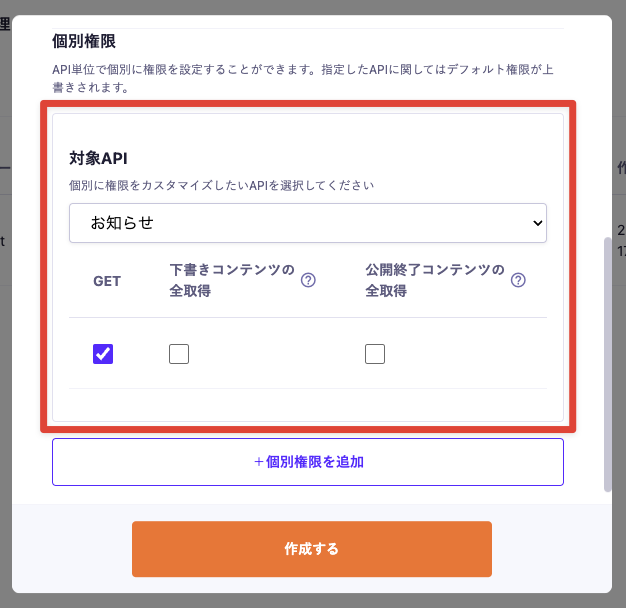
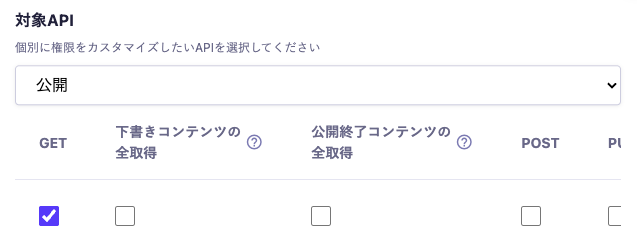
You can set individual permissions for each API. The specified API will override the default permissions.
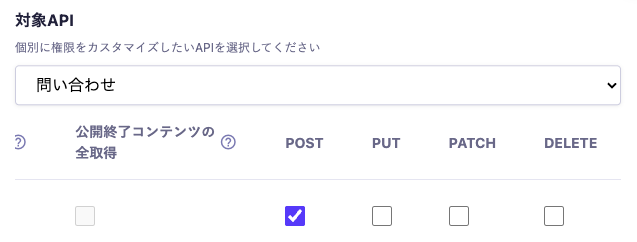
For example, if you specify "GET" as the default permission and grant "POST" and "PUT" permissions in the individual permission settings, the corresponding API will have "POST" and "PUT" permissions granted.
The items that can be set are the same as the default permissions.
By clicking on “+ Add Individual Permissions,” you can add individual permissions for multiple APIs.
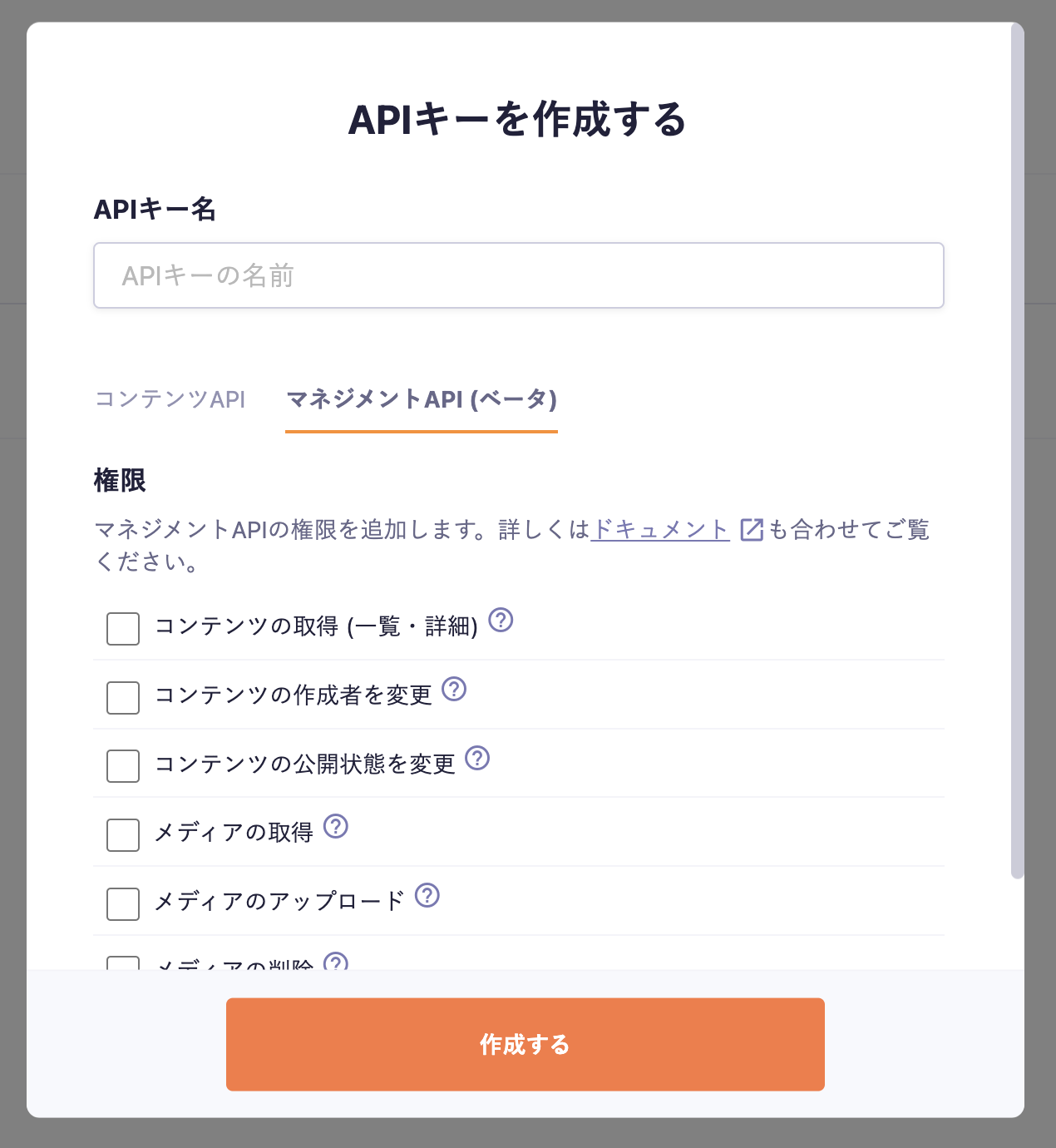
The Management API provided in beta allows you to perform operations by checking the items you wish to use. Please open the "Management API (Beta)" tab in the API Key creation modal and configure the settings.
For details on each item, please refer to the links below.
X-MICROCMS-API-KEY allows you to manage permissions according to your requirements. Please set appropriate permissions based on your operational methods.
If an API key with permissions for write methods (POST, PUT, PATCH, DELETE) is leaked, there is a risk of unauthorized content modification. Therefore, special care is needed when handling API keys with write method permissions. By separating and managing the permissions for read methods (GET) and write methods, you can utilize API keys more securely and flexibly. Consider the following settings and operations:
Allow only GET by default.
Set individual write permissions such as POST only for content APIs that are updated, like contact forms. This API key should be handled with care, such as processing on the server side.
Generally, you may want to make all content public to users, but there may be cases where you want to keep certain APIs hidden from users and use them internally. In such cases:
Set default permissions to all false.
For public APIs, set individual permissions to true for GET only.
Do not set individual permissions for private APIs.
By creating keys with these settings, you can embed the key directly into the client, eliminating the need to create an intermediate server to hide the API key.
If you are deploying across multiple devices, you can create multiple API keys with the same permissions, such as "for website," "for iOS," and "for Android." This allows for control over update cycles and access ranges for each team or device.
Additionally, various uses can be considered, such as "batch processing for ranking" or "minimum read access for easy local data verification," to facilitate smooth and secure development.

 Information
 Caution