microCMS

Text Field

The text field is a field for entering short text or strings.
It is suitable for managing string data that does not include line breaks, such as article titles, product names, and author names.

How to Upload Data

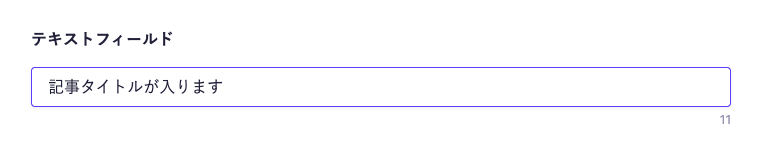
Click on the field and enter your text. 


Note

The number of characters entered is displayed at the bottom right of the field.

For information on uploading using the API and CSV, please refer to the documentation below.

Limitations / Notes

  • By default, there is no maximum character limit. However, there is a data size limit per content (approximately 200KB), so data exceeding this limit cannot be registered.

Settings

Description

Required Field

When enabled, input is required during submission.

Description

This is the description displayed on the submission screen.

Do Not Allow Duplicates (Unique)

When enabled, you cannot save if the same value exists in other content.

Up to five fields can be set for a single API.

If there are duplicate values in the content, you cannot change this to enabled.

Allow Input Only for Specific Patterns

Restricts input to only those that match the regular expression.

There are limitations on the available regular expression patterns. For more details, please refer to "What regular expression patterns are available for input string restrictions?".

Character Limit

Limits the minimum and maximum number of characters that can be entered in the field.

Response Format of GET API

Please refer to the documentation below for details.

How to Use in Frontend

The text field is returned as a string, so it can be directly specified in HTML elements and attributes.
Below is an implementation example using Next.js.

export default async function Page({ params }) {
  const { slug } = await params;

  // Fetch data using the microCMS JavaScript SDK (https://github.com/microcmsio/microcms-js-sdk)
  const data = await client.getListDetail({
    endpoint: "blog",
    contentId: slug,
  });

  return (
    <main>
      {/* textField is the field ID. Please replace it with the actual field ID */}
      <h1>{data.textField}</h1>
    </main>
  );
}