microCMS

Examples of Using Query Parameters with API Preview

This page utilizes the API preview feature for content (mainly in list format) to showcase examples of how to use various query parameters in different scenarios.

informationInformation

For detailed usage of each query parameter, please refer to the page for GET /api/v1/{endpoint}.

Prerequisites

As a prerequisite, we assume that the API and each content exist as follows.

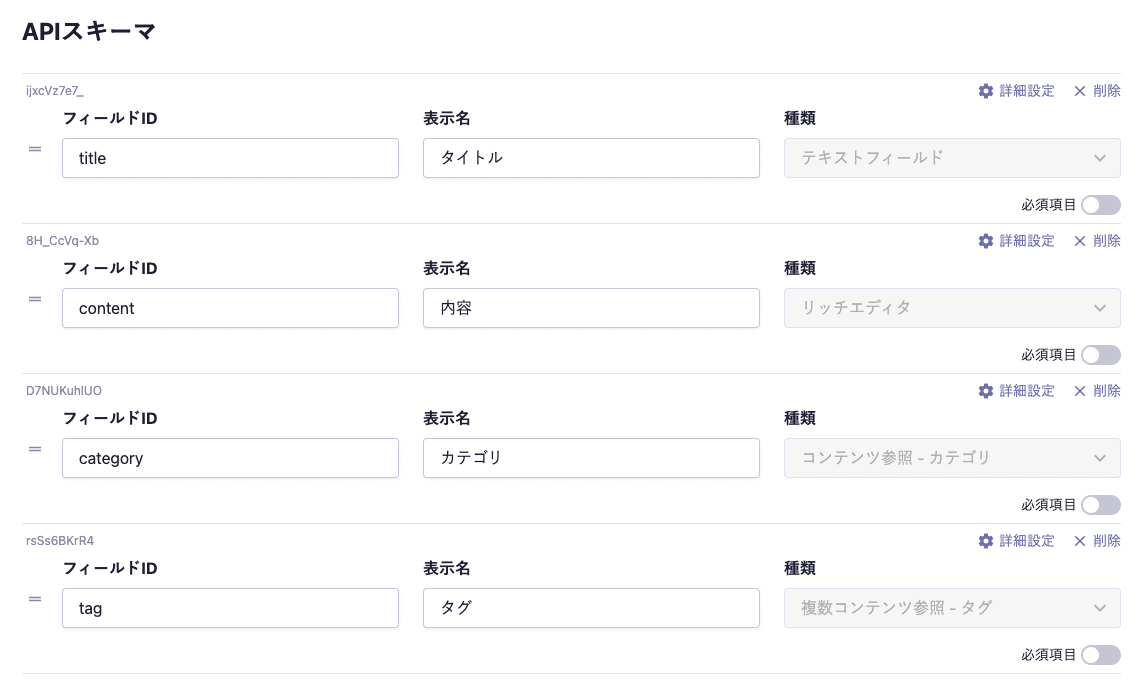
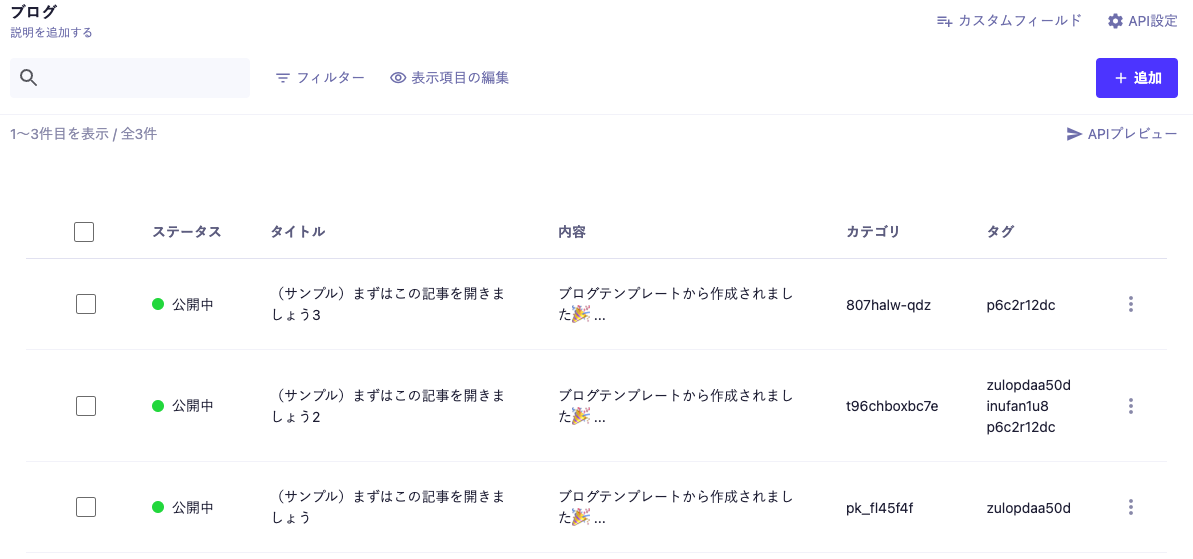
  • Blog
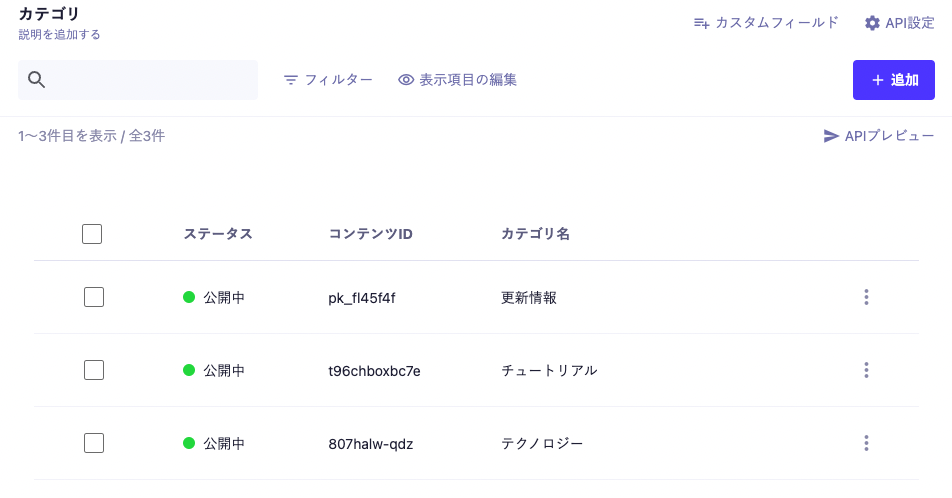
  • Category (linked to the blog via "Content Reference")
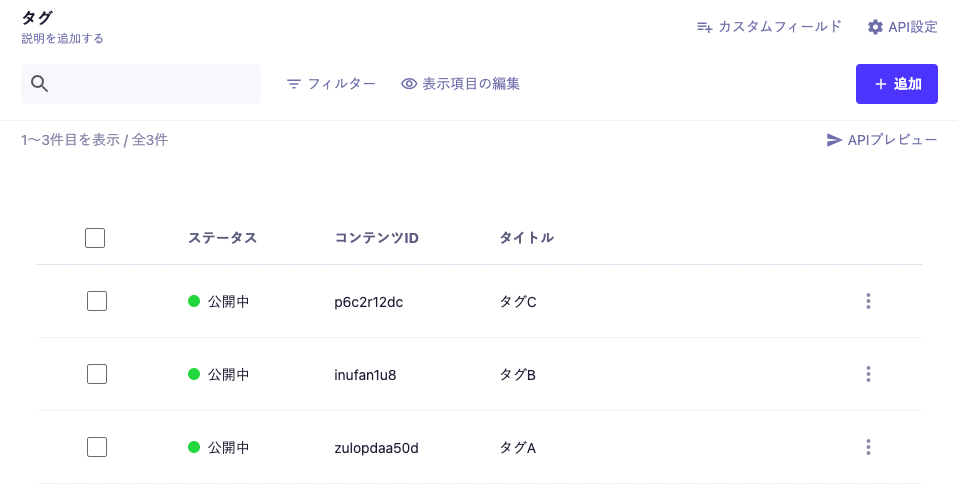
  • Tag (linked to the blog via "Multiple Content Reference")


▼ Blog API Schema


▼ List of Blog Contents


▼ List of Category Contents


▼ List of Tag Contents

Usage Examples

[Example 1] Retrieve a Specified Number of Contents

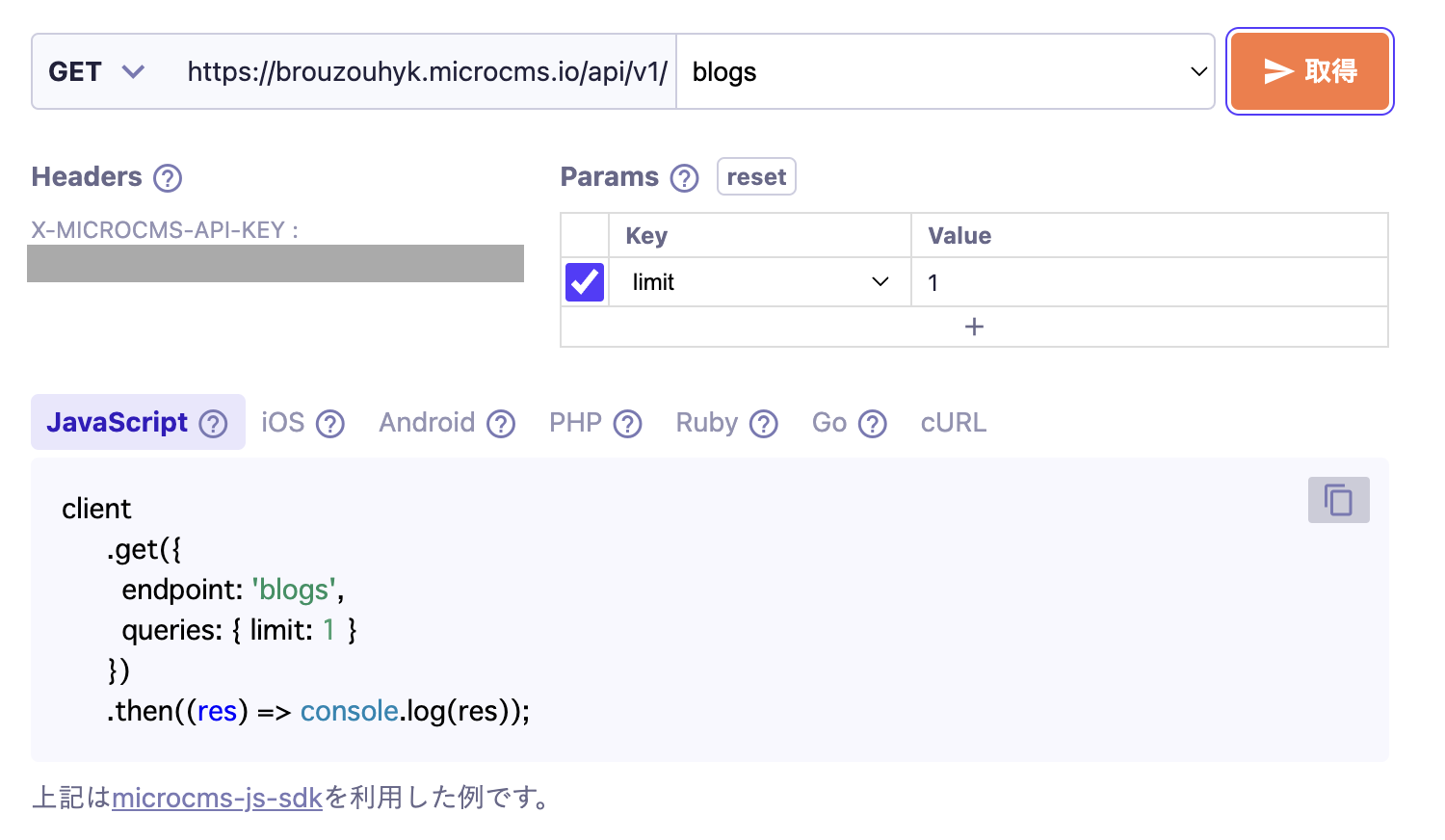
To retrieve a specified number of contents, use the limit parameter.
Reference: GET /api/v1/{endpoint} - limit

Below is the specification for retrieving one content item in a blog list.


informationInformation

The default value of the limit parameter is 10 items.

Example 2: Fetching with an Offset

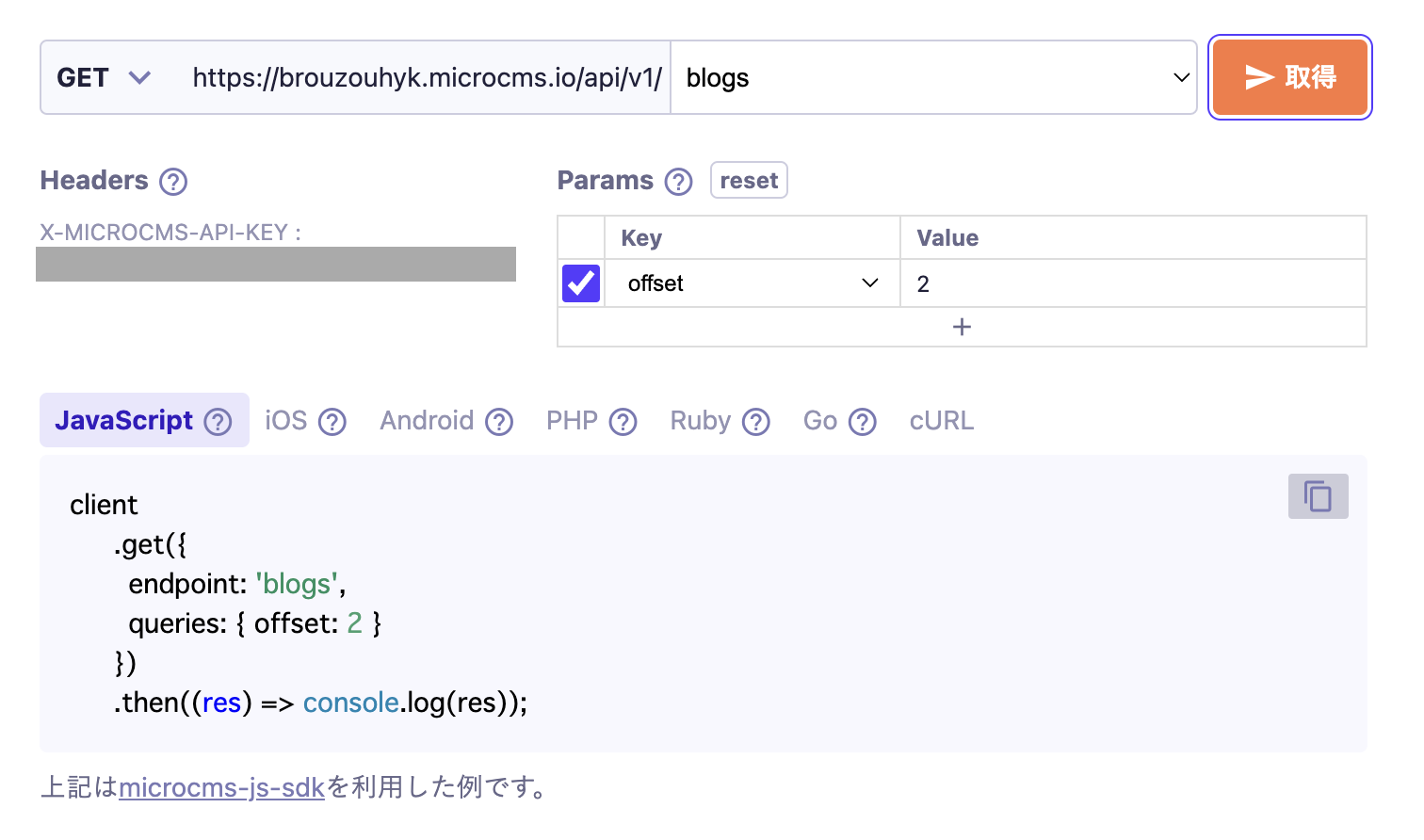
To adjust the starting position for fetching, such as for implementing pagination, use the offset parameter.
Reference: GET /api/v1/{endpoint} - offset

Below is the specification for fetching starting from the second content in a blog list.


Example 3: Retrieve in Order of Newest Publication Date

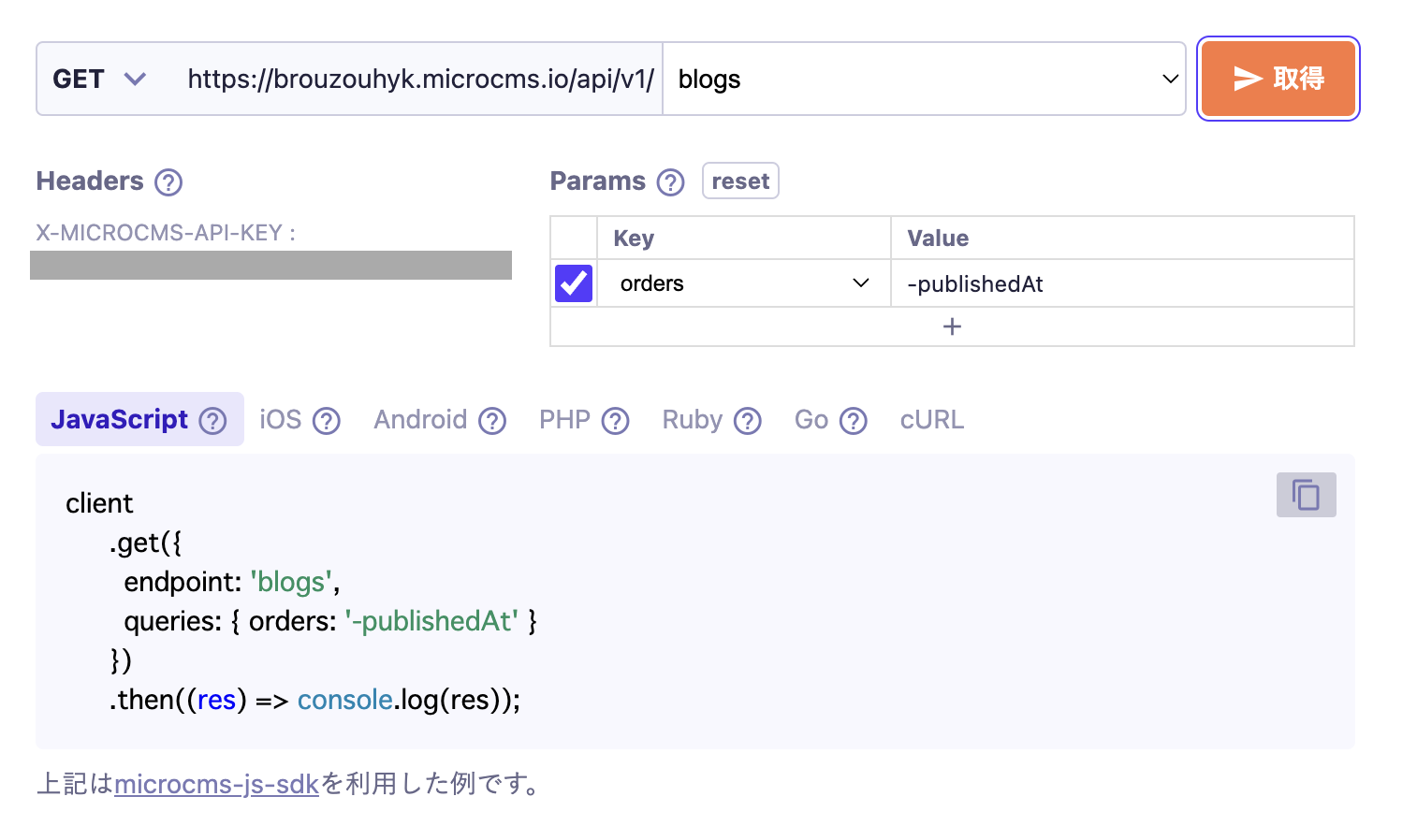
When specifying the order of content retrieval, use the orders parameter for sorting.
Reference: GET /api/v1/{endpoint} - orders

Below is the specification for retrieving a list of blogs in order of publication date (publishedAt) from newest to oldest (descending order).

[Example 4] Full-text search for "Title" and "Content" in a blog

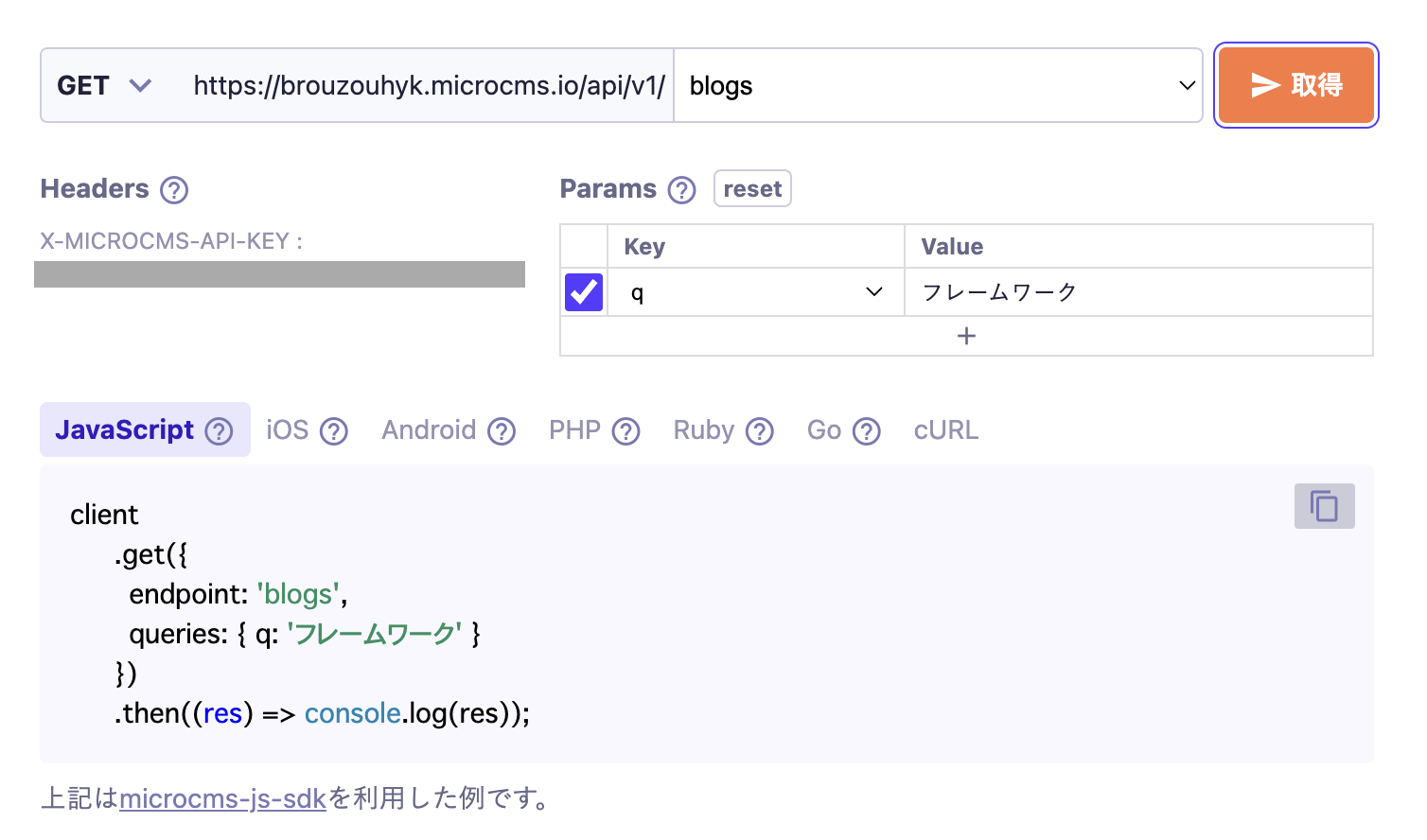
If you want to perform a full-text search across text fields, text areas, and rich editors, use the q parameter.
Reference: GET /api/v1/{endpoint} - q

Below is the specification for performing a cross-sectional full-text search for the string "framework" in the "Title (text field)" and "Content (rich editor)" fields in the blog list.

informationInformation

Search using the q parameter is performed on the results of morphological analysis of the content. Even if there are no registered keywords that match the search terms, the content may still appear in the search results. If you require precise partial match searches, please consider using the filters parameter.

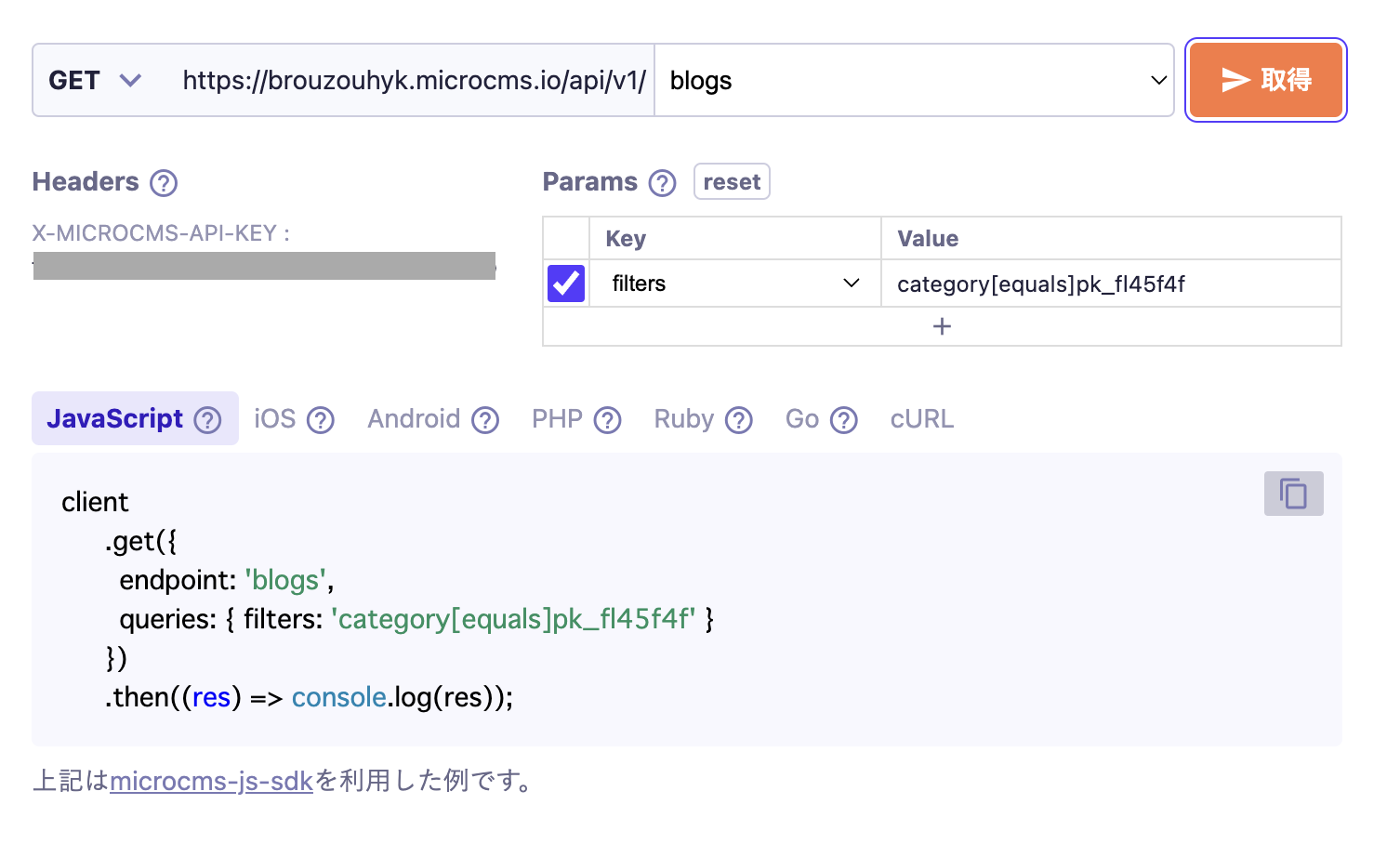
Example 5: Filtering to Retrieve Content with a Specific Category (Content Reference)

When using a content reference field, if you want to filter and retrieve content that only has a specific referenced content, you can use the filters parameter.
Reference: GET /api/v1/{endpoint} - filters

Below is the specification for retrieving only the content that has "Update Information (Content ID: pk_fl45f4f)" in the blog list.

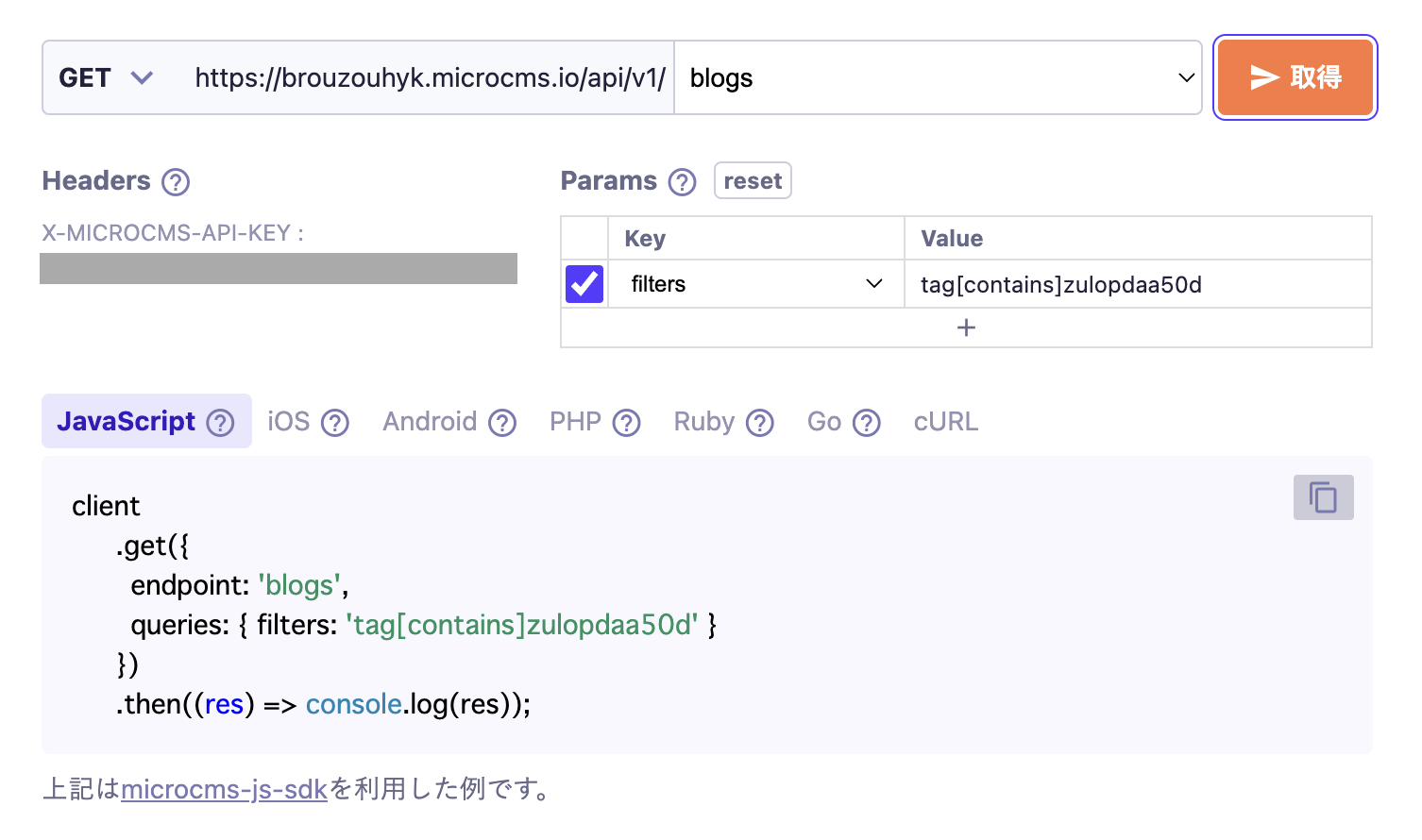
[Example 6] Filtering to Retrieve Only Content with Specific Tags (Multiple Content References)

When using a multiple content reference field, if you want to filter and retrieve only specific content from the references, you can use the filters parameter.
Reference: GET /api/v1/{endpoint} - filters

Below is the specification for retrieving only the content that has "Tag A (Content ID: zulopdaa50d)" in the blog list.

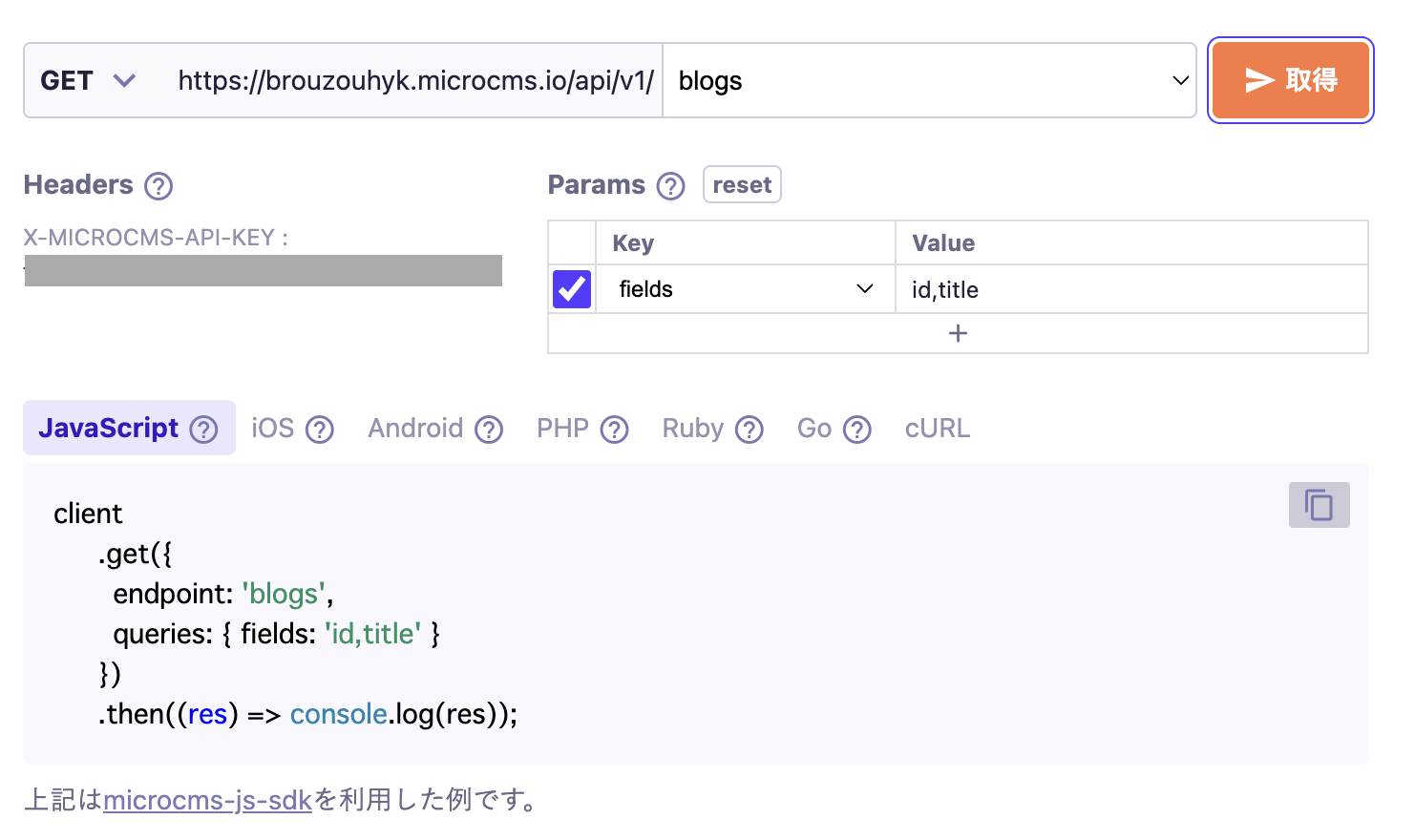
[Example 7] Retrieve Only Necessary Fields (id, title, etc.)

If you want to retrieve only the necessary fields such as id and title, you can use the fields parameter.
Reference: GET /api/v1/{endpoint} - fields

Below is the specification for retrieving only id and title in a blog list.

informationInformation

The fields parameter helps reduce data transfer by narrowing down the amount of data retrieved.

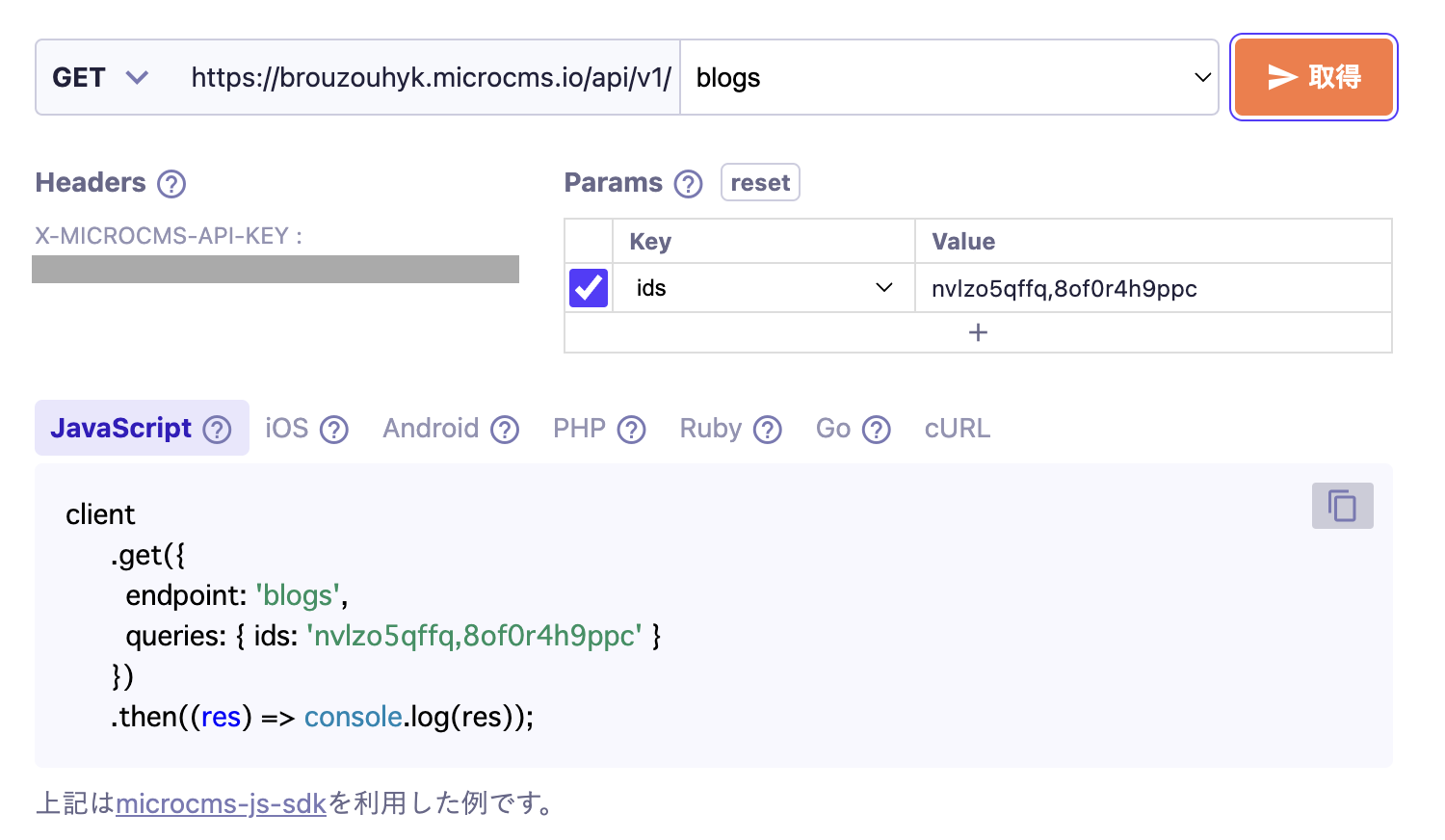
[Example 8] Retrieve Multiple Contents with Specified Content IDs at Once

If you want to retrieve multiple contents with specified content IDs, use the ids parameter.
Reference: GET /api/v1/{endpoint} - ids

Below is the specification for retrieving contents with the following content IDs (nvlzo5qffq and 8of0r4h9ppc) in a blog list.

Advanced Use Cases

We will introduce advanced use cases, such as cases that combine multiple parameters.

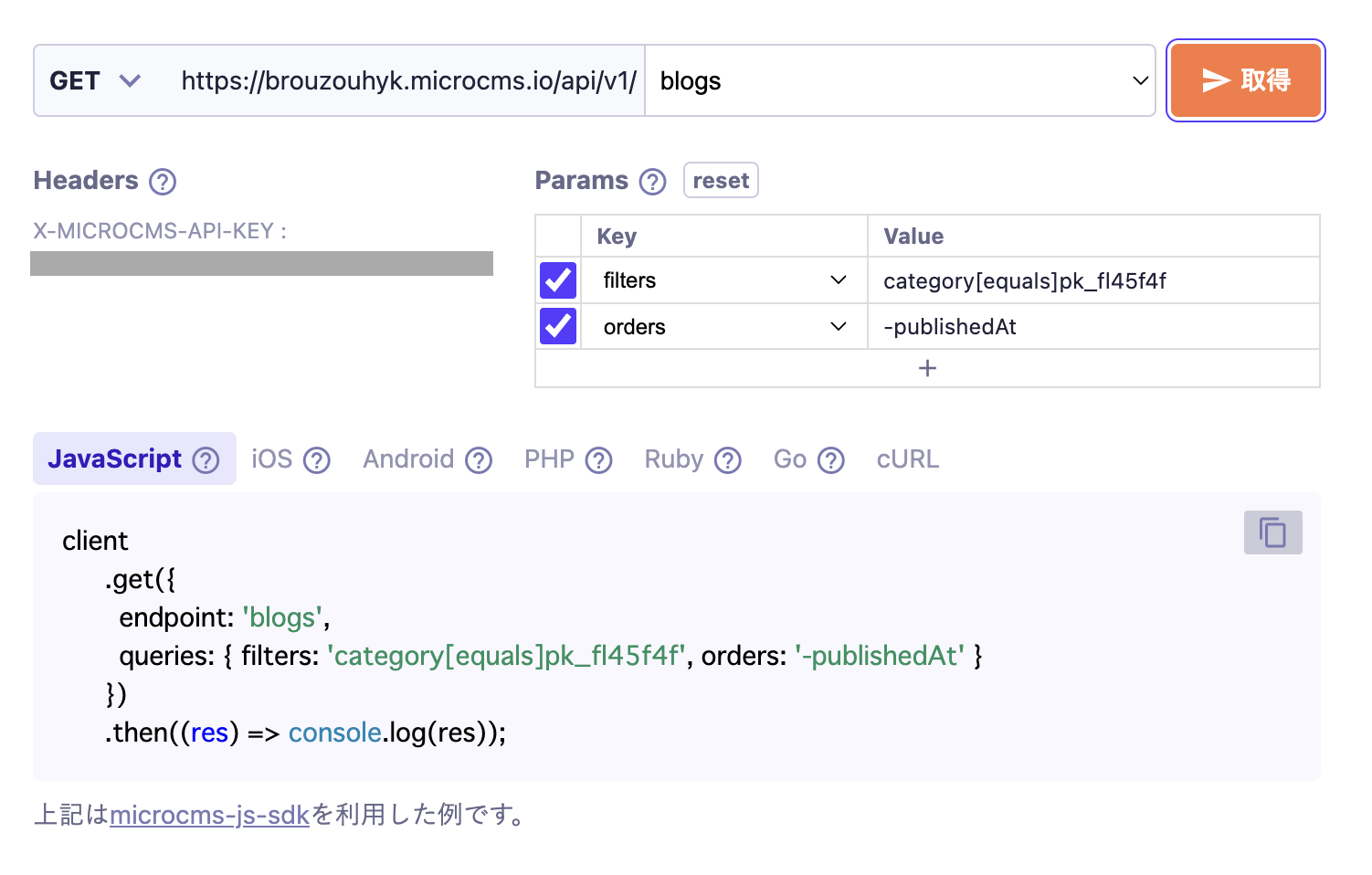
[Example 1] Filter content with a specific category (content reference) and retrieve it sorted by date

If you want to filter only specific content linked by the content reference field and retrieve it sorted by date, you can use the filters parameter and the orders parameter.

The following specifies how to retrieve only the content that has "Update Information (Content ID: pk_fl45f4f)" in the blog list, sorted by the publication date (publishedAt) in descending order.

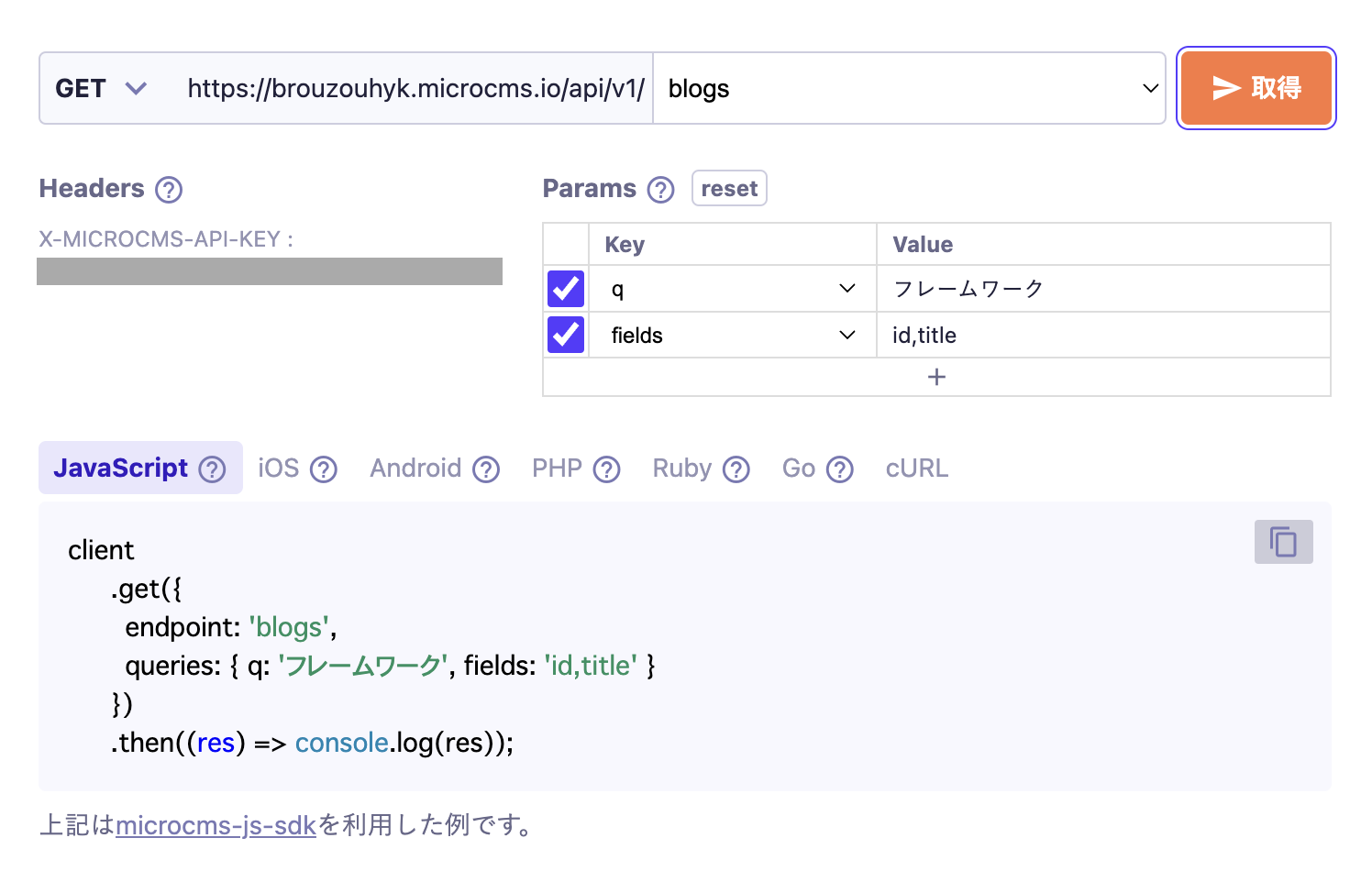
[Example 2] Perform a full-text search on the "Title" and "Content" of the blog, and retrieve only the necessary fields (id, title)

To perform a full-text search across text fields, text areas, and rich editors, and to narrow down the results to only the necessary fields, you can use the q parameter and the fields parameter.

The following specifies how to conduct a cross-sectional full-text search for the string "framework" in the "Title" and "Content" fields of the blog list, and retrieve only the id and title of those contents.