microCMS

Setting Up Webhooks for Content

We provide a Webhook feature to facilitate integration with external systems when content is modified.
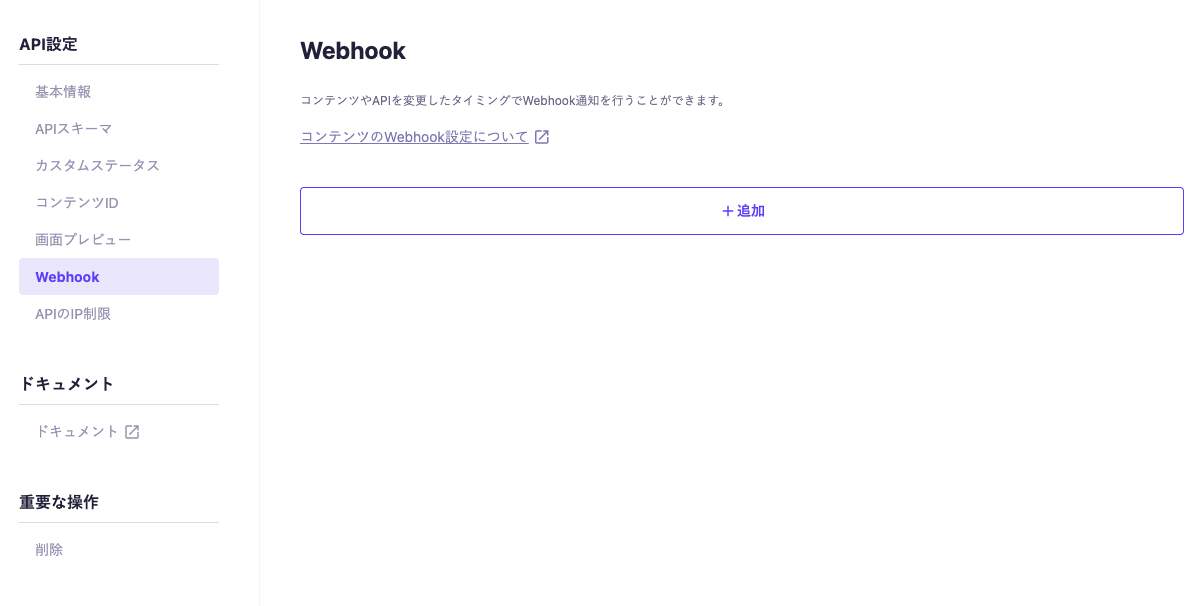
Settings can be configured under each API's "API Settings" → "Webhook".


Please select the type of Webhook from the add button and configure it.
The following 9 types of Webhooks can be configured:

  • Slack
  • Chatwork
  • Netlify
  • Cloudflare Pages
  • Vercel
  • AWS Amplify
  • GitHub Actions
  • Email Notification
  • Custom Notification

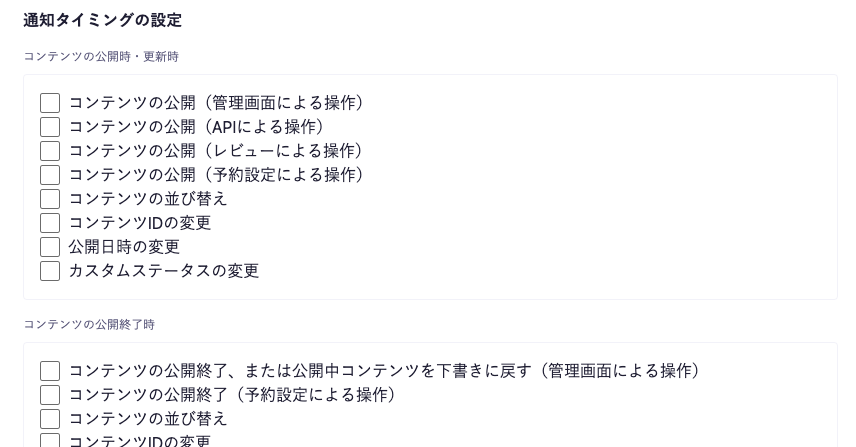
Webhook Timing

You can set the timing for issuing Webhooks when configuring each Webhook.


1. When Content is Published or Updated

Notifications will be sent when content becomes "Published" or when changes are made to content that is "Published" or "Published and Draft".

Content Publication (via Admin Panel)

Notifications will be sent when new content is published or existing published content is updated through the admin panel. (Excluding operations via review or scheduling)

Content Publication (via API)

Notifications will be sent in the following cases:

  1. When "Published" content is created via POST API / PUT API
  2. When "Published" content is updated via PATCH API

Content Publication (via Review)

Notifications will be sent when new content is published or existing published content is updated through the review request feature.

Content Publication (via Scheduled Settings)

Notifications will be sent when new content is published or existing published content is updated through the scheduled publication feature.

Content Reordering

Notifications will be sent when published content is reordered in the content list screen.

Content ID Change

Notifications will be sent when the content ID of published content is updated.

Publication Date Change

Notifications will be sent when the publication date of published content is updated.

Custom Status Change

Notifications will be sent when the custom status of published content is updated.

2. When Content is Unpublished

Notifications will be sent when content changes from "Published" or "Published and Draft" to "Unpublished" or "Draft", or when changes are made to content that is "Unpublished".

Content Unpublishing or Reverting Published Content to Draft (via Admin Panel)

Notifications will be sent in the following cases:

  1. When "Published" content is set to "Unpublished" via admin panel operations (excluding operations via scheduling)
  2. When "Published" content is changed to "Draft" via admin panel operations

Content Unpublishing (via Scheduled Settings)

Notifications will be sent when "Published" or "Published and Draft" content is changed to "Unpublished" via the scheduled unpublishing feature.

Content Reordering

Notifications will be sent when "Unpublished" content is reordered in the content list screen.

Content ID Change

Notifications will be sent when the content ID of "Unpublished" content is updated.

Publication Date Change

Notifications will be sent when the publication date of "Unpublished" content is updated.

Custom Status Change

Notifications will be sent when the custom status of "Unpublished" content is updated.

3. When Content is Saved as Draft

Notifications will be sent when content becomes "Draft" or "Published and Draft", or when changes are made to content that is "Draft".

Content Draft Saving (via Admin Panel)

Notifications will be sent when "Draft" content is updated through admin panel operations.

Content Draft Saving (via API)

Notifications will be sent in the following cases:

  1. When "Draft" content is created via POST / PUT API
  2. When "Draft" content is updated via PATCH API

Content Reordering

Notifications will be sent when "Draft" content is reordered in the content list screen.

Content ID Change

Notifications will be sent when the content ID of "Draft" content is updated.

Publication Date Change

Notifications will be sent when the publication date of "Draft" content is updated.

Custom Status Change

Notifications will be sent when the custom status of "Draft" content is updated.

4. When Published Content is Deleted

Notifications will be sent when "Published" or "Published and Draft" content is deleted.

Content Deletion (via Admin Panel)

Notifications will be sent when "Published" or "Published and Draft" content is deleted through admin panel operations.

Content Deletion (via API)

Notifications will be sent when "Published" or "Published and Draft" content is deleted via DELETE API.

5. When Unpublished Content is Deleted

Notifications will be sent when "Unpublished" content is deleted.

Content Deletion (via Admin Panel)

Notifications will be sent when "Unpublished" content is deleted through admin panel operations.

Content Deletion (via API)

Notifications will be sent when "Unpublished" content is deleted via DELETE API.

6. When Draft Content is Deleted

Notifications will be sent when "Draft" content is deleted.

Content Deletion (via Admin Panel)

Notifications will be sent when "Draft" content is deleted through admin panel operations.

Content Deletion (via API)

Notifications will be sent when "Draft" content is deleted via DELETE API.

7. When Draft of Published and Draft Content is Discarded

Notifications will be sent when the draft of "Published and Draft" content is discarded through admin panel operations.

8. When API Settings are Changed

Notifications will be sent when changes are made to API settings (basic settings, schema, etc.).

9. When API is Deleted

Notifications will be sent when an API is deleted.

Settings and Actions

Slack

The following information is required for the Webhook to Slack:
Please refer to the official documentation for operations on the Slack side.

  • Webhook URL issued by Slack


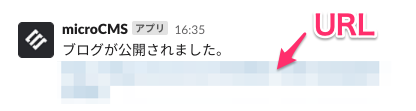
When notifications are actually sent, they will be in the following format.
The URL part will default to the admin panel URL, but it can also be changed to any desired URL in the settings.

Chatwork

The following information is required for the Webhook to Chatwork:


The notification content will be the same as for Slack.

Netlify

You can start the build process via Webhook from microCMS.
The settings are as follows:

Cloudflare Pages

You can start the build process via Webhook from microCMS.
The settings are as follows:

Vercel

You can start the build process via Webhook from microCMS.
The settings are as follows:

AWS Amplify

You can start the build process via Webhook from microCMS.
The settings are as follows:

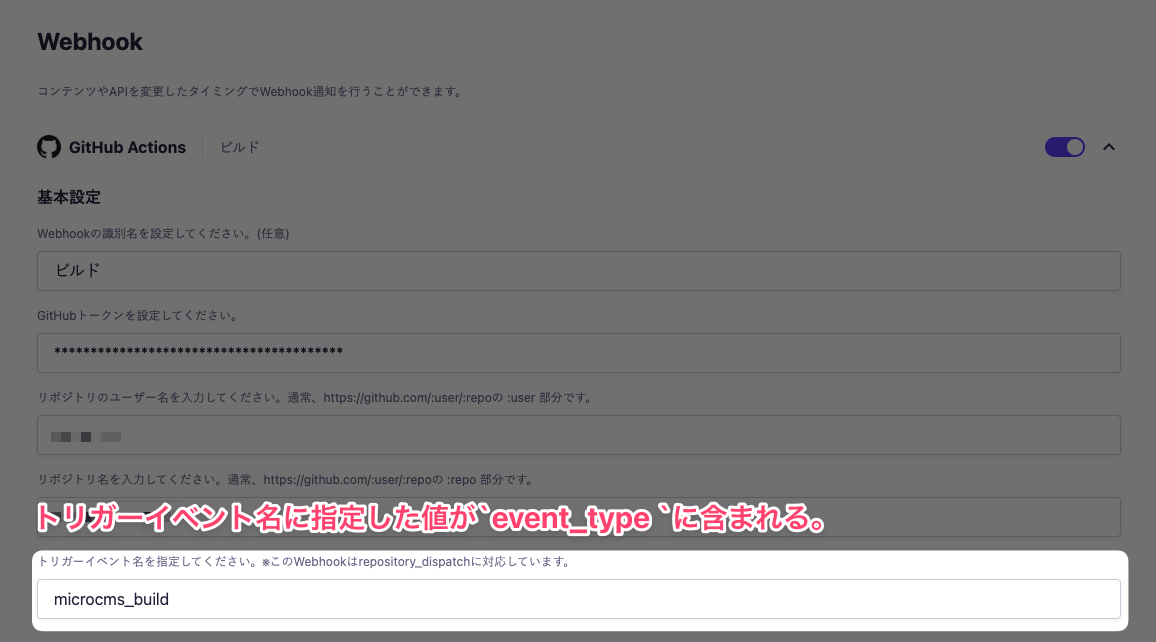
GitHub Actions

You can start the build process via Webhook from microCMS.

Settings

tipsTips

For detailed instructions on how to configure GitHub Actions, please refer to the help article "【Webhook Integration for Content】How to Configure GitHub Actions".

informationInformation

When the token expires, you can obtain a new token and overwrite the value to set it.

Request Details

The request body when calling the dispatch event includes information about event_type and client_payload.

Overview of the Request Body

{
  "event_type": "microcms_build",
  "client_payload": {
    "service": "your_service",
    "api": "news",
    "id": "RX252Zoo7",
    "draftKey": "2Jnt22mLh5",
    "type": "new"
  }
}

event_type

event_type contains the value specified for the trigger event name.


This value can be referenced within GitHub Actions as github.event.action.

client_payload

client_payload contains information about the affected content and API.

{
    "service": "your_service",
    "api": "news",
    "id": "RX252Zoo7",
    "draftKey": "2Jnt22mLh5",
    "type": "new"
}
  • service - The subdomain of the service to which the modified content belongs.
  • api - The endpoint specified during the update or deletion of the API.
  • id - The ID of the content. This is included only when an operation related to the content has been performed.
  • draftKey - The draft key (draftKey) that can be obtained from the management screen. This is included only when the content is in draft or scheduled publication status.
  • type - The type of change. It will be new for new additions, edit for edits, and delete for deletions. (This refers to the type of change to the data, regardless of the content's publication status.)

These values can be referenced within GitHub Actions as github.event.client_payload.

Email Notifications

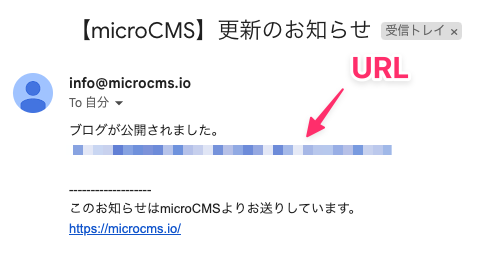
You can send changes to a specified email address when there are updates to content or the API.
The sender's email address is info@microcms.io.
The configuration details are as follows:

  • Email Address

Additionally, similar to Slack and Chatwork webhooks, the body will contain a URL, which can also be changed to any desired one.

Custom Notifications

A POST request will be sent to a specified URL.
The configuration details are as follows:

  • URL for the POST request

About Custom Notifications

Custom notifications send a POST request to any specified URL.
Since any URL can be specified, the receiving side can perform its own processing freely.

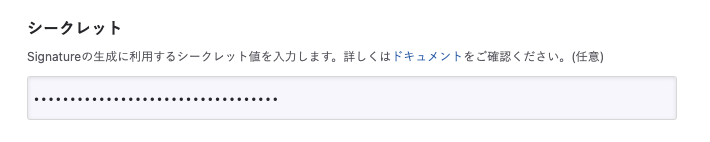
Secret (Webhook Security Protection)

microCMS can add a header value to verify that the webhook request is from microCMS.
To do this, a secret value must be set, and it is recommended to configure this in microCMS.

The header x-microcms-signature: <COMPUTED_HASH> will only be added if a secret value is set.
※ The payload is generated by microCMS using a hash-based HMAC with SHA-256 from the secret value and the request body.

The secret value can be changed in the custom notification settings screen.
Please set a value that is difficult to guess for the secret value. (Example: a value generated by ruby -rsecurerandom -e 'puts SecureRandom.hex(20)')

Signature Verification

Verification can be performed by comparing the following two values, confirming that the request is from microCMS.

  • The value received in the x-microcms-signature header
  • The value based on the payload (request.body) and the configured secret value

As an example, in Node.js, verification can be implemented as follows.

const crypto = require('crypto');

const expectedSignature = crypto
  .createHmac('sha256', <configured secret>)
  .update(request.body)
  .digest('hex');
const signature = request.headers['x-microcms-signature'];
if (!crypto.timingSafeEqual(Buffer.from(signature), Buffer.from(expectedSignature))) {
  throw new Error('Invalid signature.');
}

Request Details

Headers

The request header includes Content-Type: application/json.
If the aforementioned secret is set, x-microcms-signature: <SIGNATURE_VALUE> will also be included.

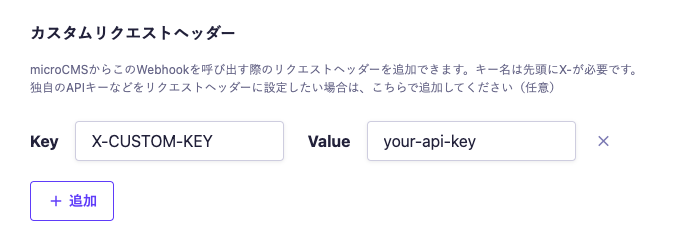
You can also add any custom request headers. Please click the "+" button in Custom Request Headers to add them.


informationInformation

From a security perspective, we restrict the setting of Webhooks to domains associated with microCMS (.microcms.io, .microcms-management.io).

Body

The request body contains information about the target content and the API.

{
  service: 'webhook-test',
  api: 'news',
  id: 'x2xkcwog9521',
  type: 'edit',
  contents: {
    old: {
      id: 'x2xkcwog9521',
      status: ['DRAFT'],
      draftKey: 'Vyf_XTclTY',
      publishValue: null,
      draftValue: {
        id: 'x2xkcwog9521',
        createdAt: '2021-06-02T05:56:24.513Z',
        updatedAt: '2021-06-02T06:05:09.601Z',
        publishedAt: '2021-06-02T06:05:09.601Z',
        revisedAt: '2021-06-02T06:05:09.601Z',
        title: 'This is the title',
      },
    },
    new: {
      id: 'x2xkcwog9521',
      status: ['PUBLISH'],
      draftKey: null,
      publishValue: {
        id: 'x2xkcwog9521',
        createdAt: '2021-06-02T05:56:24.513Z',
        updatedAt: '2021-06-02T06:05:09.601Z',
        publishedAt: '2021-06-02T06:05:09.601Z',
        revisedAt: '2021-06-02T06:05:09.601Z',
        title: 'This is the title',
      },
      draftValue: null,
    },
  },
}
  • service - The subdomain of the service to which the modified content belongs.
  • api - The endpoint specified during the creation or update of the API.
  • id - The ID of the content. For operations related to the API, null will be present.
  • type - The type of change. For new additions, new; for edits, edit; for deletions, delete. (This refers to the type of change to the data, regardless of the content's publication status.)
  • contents - Contains the content details. For operations related to the API, null will be present.
  • contents.old - Contains the content before editing or deletion. For new content creation, null will be present.
  • contents.old.id - Contains the ID of the content before editing or deletion.
  • contents.old.status - Indicates the publication status of the content as an array. PUBLISH for published, DRAFT for draft, and CLOSED for unpublished.
  • contents.old.draftKey - Contains the draft key (draftKey) that can be obtained in the management screen if the content is in draft status. If only in published status, null will be present.
  • contents.old.publishValue - Contains the JSON data obtained via the GET API for published content.
  • contents.old.draftValue - Contains the JSON data obtained via the GET API for draft content.
  • contents.new - Contains the content after creation or editing. For deletions, null will be present.
  • contents.new.id - Contains the ID of the content after creation or editing.
  • contents.new.status - Indicates the publication status of the content as an array. PUBLISH for published, DRAFT for draft, and CLOSED for unpublished.
  • contents.new.draftKey - Contains the draft key (draftKey) that can be obtained in the management screen if the content is in draft status. If only in published status, null will be present.
  • contents.new.publishValue - Contains the JSON data obtained via the GET API for published content.
  • contents.new.draftValue - Contains the JSON data obtained via the GET API for draft content.

Verifying and Debugging Webhook Operations

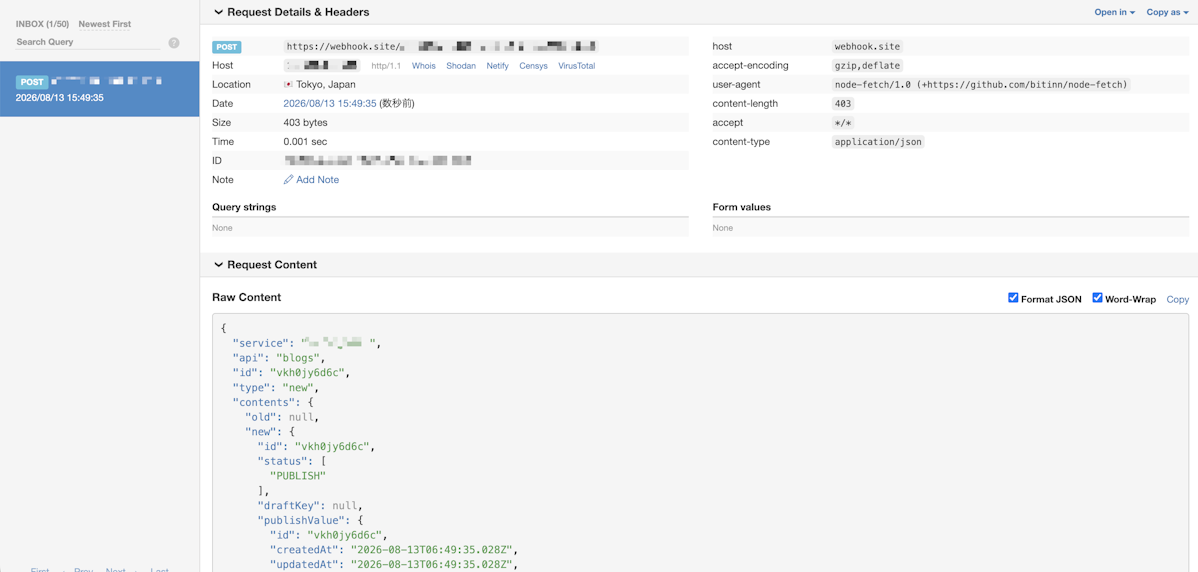
For verifying and debugging custom notifications, it is convenient to use webhook validation tools such as "devhook".

Usage Flow

  1. Add the custom notification settings.
  2. Copy the URL obtained from devhook into the custom notification URL field.
  3. Perform the triggering operation on the management screen and check the output on devhook.

▼ Example of Output

cautionCaution

The validation tools mentioned above are external services, so information such as the request body will be shared externally. Please be careful not to use any data that should not be leaked.

Webhook Enable/Disable Settings

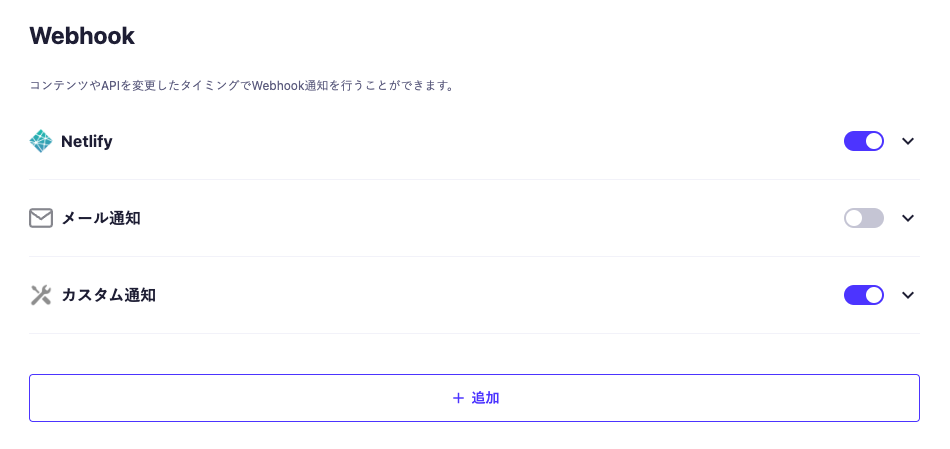
If you want to temporarily enable or disable the Webhook settings, you can do so by toggling the switch in the Webhook list. When disabled, no Webhooks will be issued.

Webhook Detailed Specifications

Retry

No retry processing will be performed if the Webhook notification fails due to network errors or 4xx, 5xx errors.

Duplicate Sending

Webhook notifications will be sent only once per configured timing.

If multiple contents are deleted or their statuses are changed, notifications containing the request body will be executed for each of the affected contents.
The types of notifications that apply are as follows:

  1. GitHub Actions
  2. Custom Notifications

Order Guarantee

In principle, Webhook notifications are sent in the order of operation execution.
However, since strict control is not implemented, the order is not guaranteed.

Source IP Address

The source IP address of the Webhook is a dynamic IP address.
Additionally, the range of IP addresses is not publicly disclosed.