microCMS

Text Area

The text area is a field for entering multiple lines of text or long passages.
It is suitable for managing text that includes line breaks, such as product descriptions, service introductions, and notes.

How to Upload Data

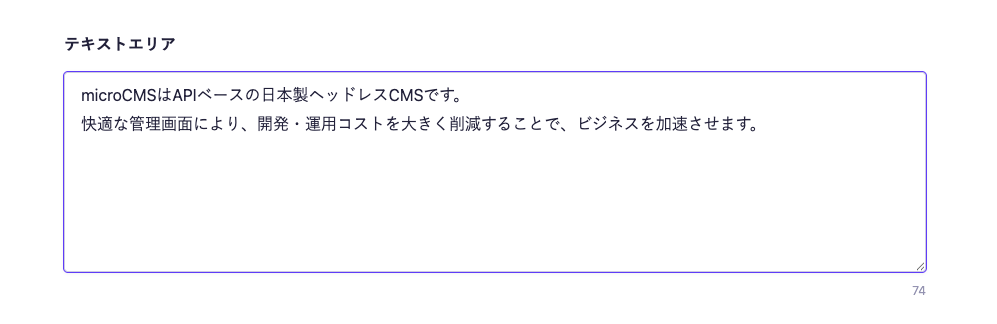
Text area upload screen. Multiple lines of text are entered, and the character count is displayed in the bottom right.
  • Click on the text area and enter your text.
  • Press the Enter key to create a new line.

Note

  • The character count is displayed in the bottom right of the text area. New lines are counted as one character.
  • You can adjust the height of the input area by using the drag handle located in the bottom right of the text area.

For information on uploading using the API and CSV, please refer to the documentation below.

Settings

Description

Required Field

When set to ON, input will be mandatory during submission.

Description Text

This is the description text displayed on the submission screen.

Allow input only for specific patterns

Restricts input to only those that match the regular expression.

There are limitations on the available regular expression patterns. For more details, please refer to "What regular expression patterns are available for input string restrictions?".

Limit character count

Limits the minimum and maximum number of characters that can be entered in the field.

Response Format of GET API

Please refer to the documentation below for details.

How to Use in Frontend

The textarea returns as a string, so it can be directly specified in HTML elements.
The line breaks in the textarea are treated internally as \n. When outputting directly to HTML, line breaks will not be reflected, so you need to implement them in the following ways:

  • Replace \n with <br> elements
  • Use CSS with white-space: pre-wrap to reflect line breaks

Below is an implementation example using Next.js.

export default async function Page({ params }) {
  const { slug } = await params;

  // Fetch data using the microCMS JavaScript SDK (https://github.com/microcmsio/microcms-js-sdk)
  const data = await client.getListDetail({
    endpoint: "blog",
    contentId: slug,
  });

  return (
    <main>
      {/* 
      textarea is the field ID. Please replace it with the actual field ID.
      The `white-space: "pre-wrap"` style is applied to reflect line breaks.
      */}
      <p style={{ whiteSpace: "pre-wrap" }}>{data.textarea}</p>
    </main>
  );
}