The merging of API Settings between environments is a feature that can be used to reflect settings confirmed in development and testing environments to the production environment, or to reflect settings changed in the production environment to development and testing environments.
By comparing the differences in API Settings between environments and selecting the APIs you want to reflect, you can collectively apply the basic information, schema, and custom field settings of the APIs.
Merging supports not only reflecting from a different environment to the production environment but also reflecting from the production environment to a different environment, as well as between different environments.
The merging of API Settings between environments is a feature available in the Business plan and Enterprise plan. For usage conditions by plan, please check the Pricing Plan.
When you perform a merge, the API Settings of the target will be changed. Depending on the differences, new APIs or fields may be created, modified, or deleted. Please ensure that you thoroughly check the source and target of the merge, as well as the differences, before executing. Data lost due to merging will not be recoverable by our company, even if it was deleted by mistake.
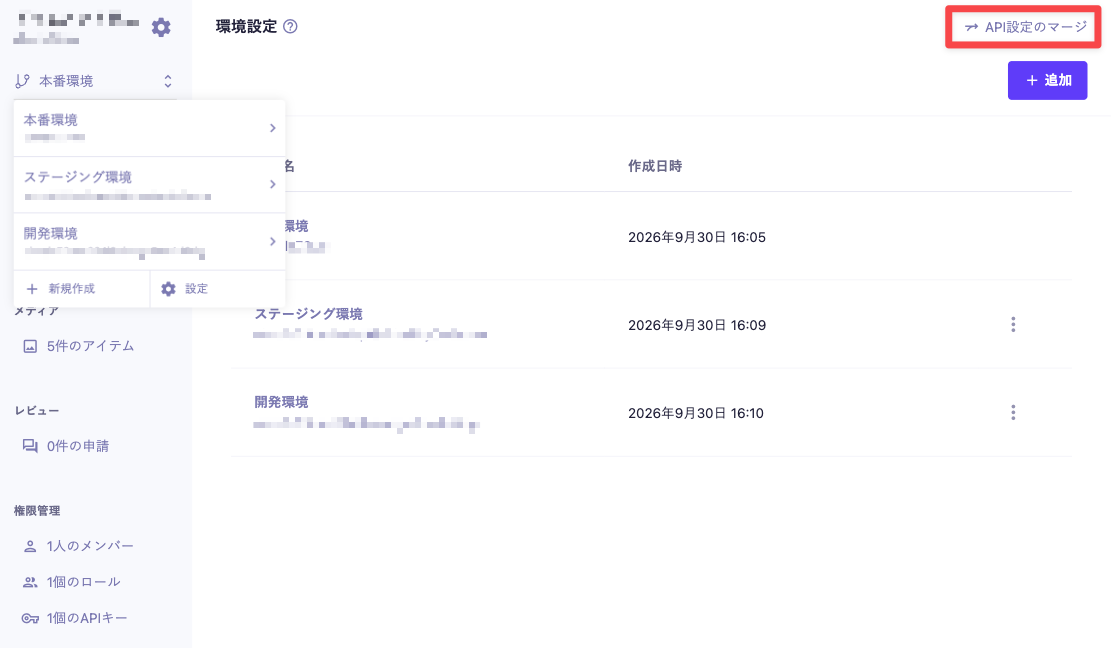
Open the environment where you want to reflect the settings and select [Merge API Settings] from the environment settings.
The currently displayed environment will be the target for the merge.
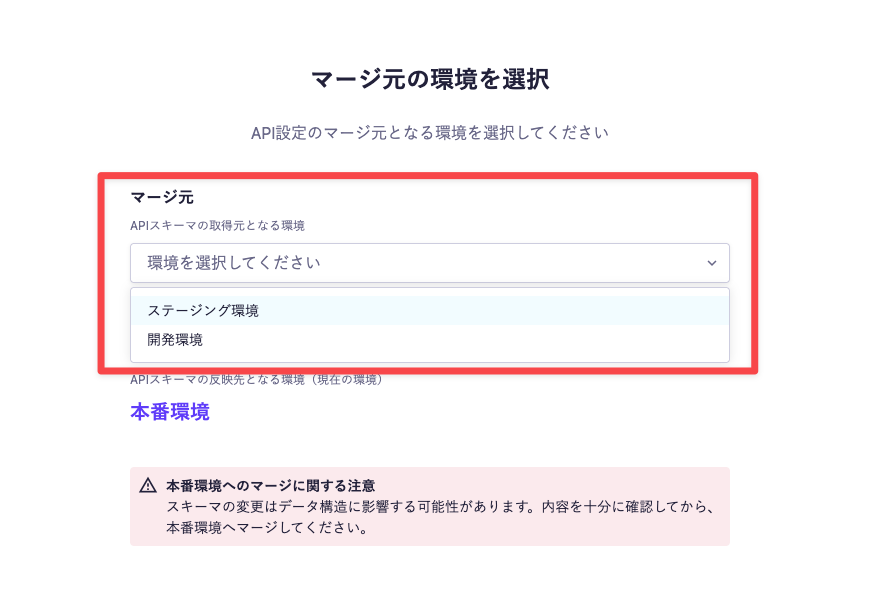
Select the source environment for the merge.
Example: Reflecting the settings from the staging environment to the production environment
Click the [Check Differences] button to display the APIs with differences between the environments. In the list on the left, you can check the APIs by the type of difference.
Selecting an API will display the differences. Please check the following items and check the checkbox for the APIs you want to merge.
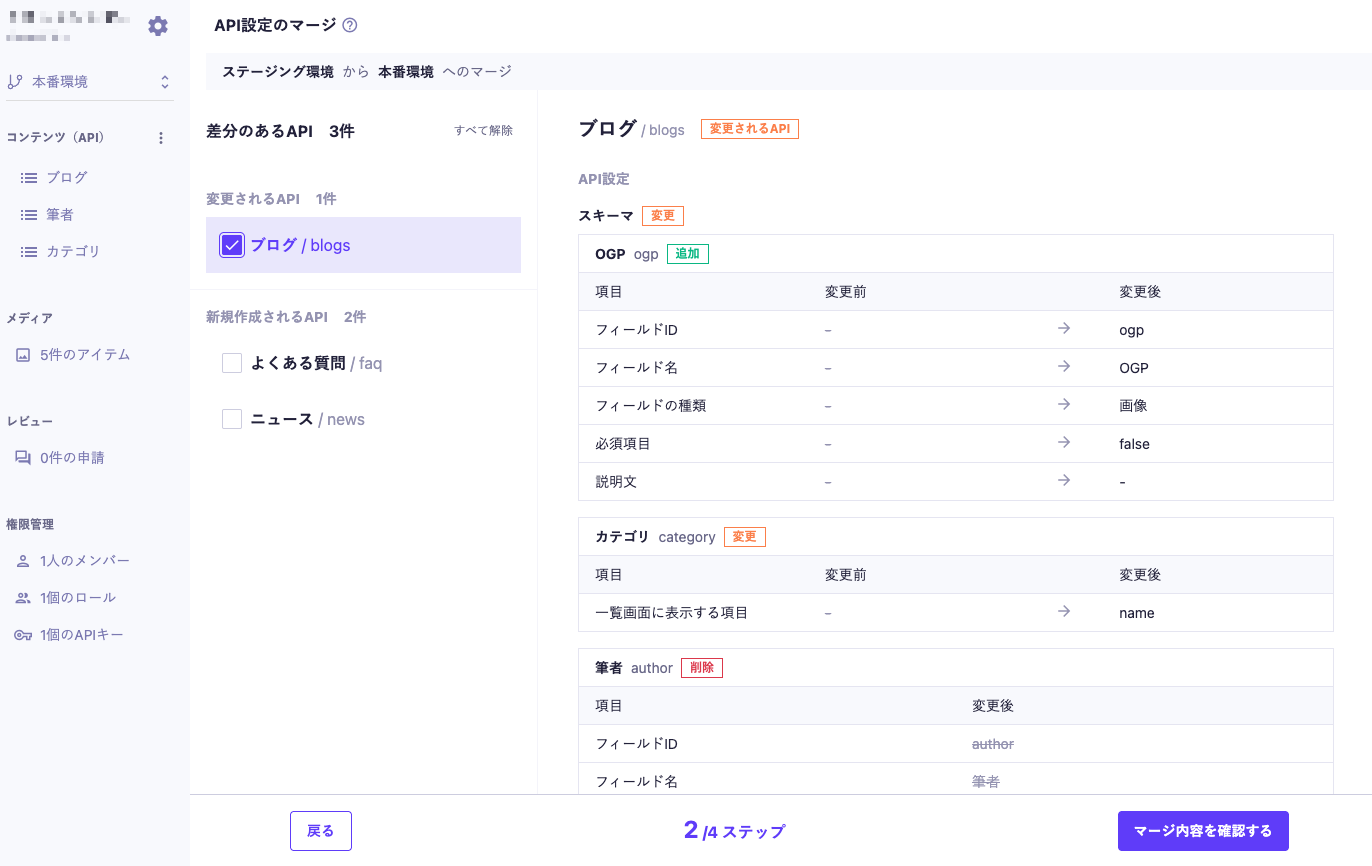
APIs or fields that exist only in the merge destination and not in the merge source may be subject to deletion. For more details, please refer to "When there are APIs or fields that do not exist in the merge source."
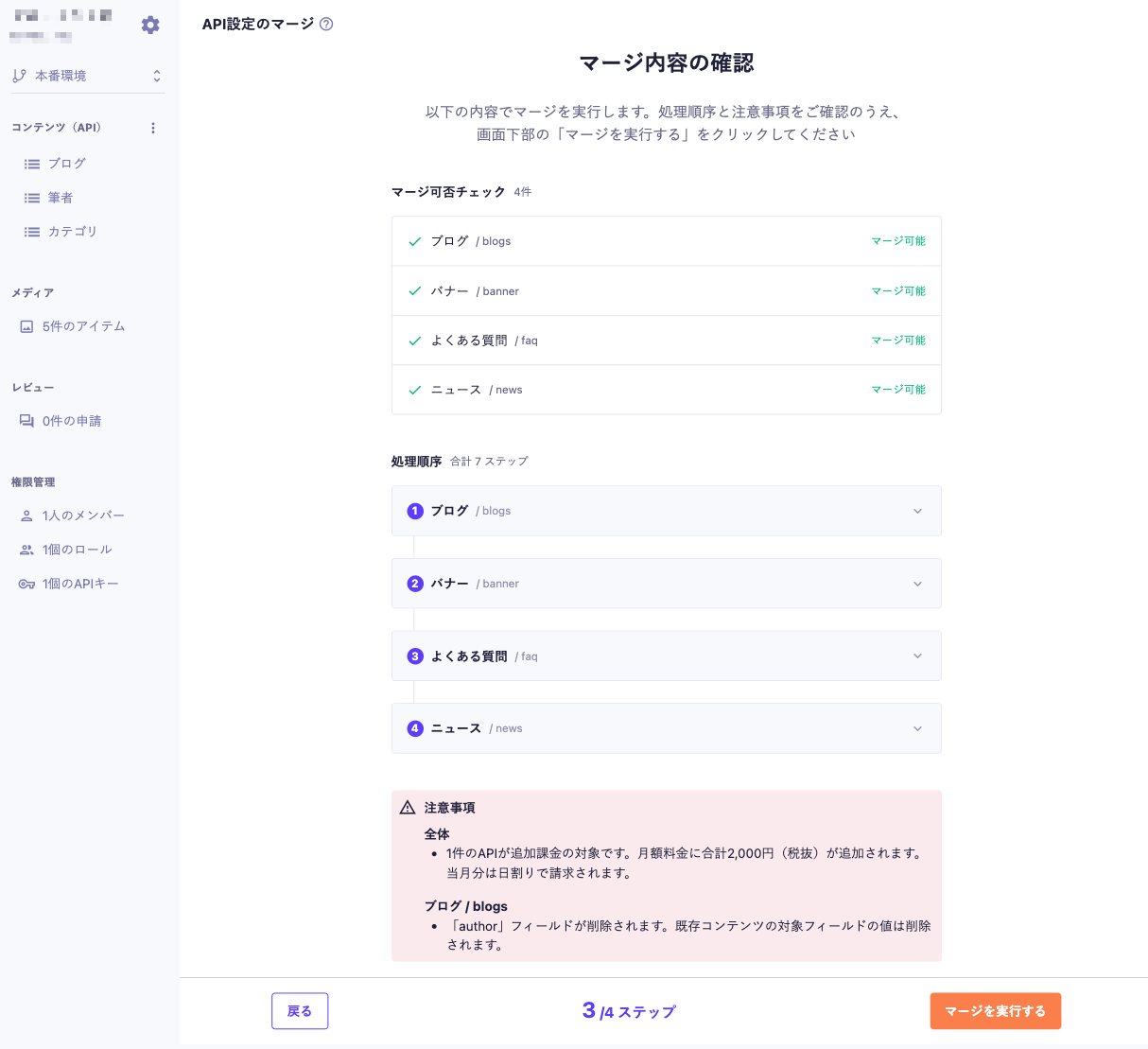
Click the [Confirm Merge Content] button and check the following for the selected API.
Once you confirm that there are no issues, click [Execute Merge] at the bottom of the screen.
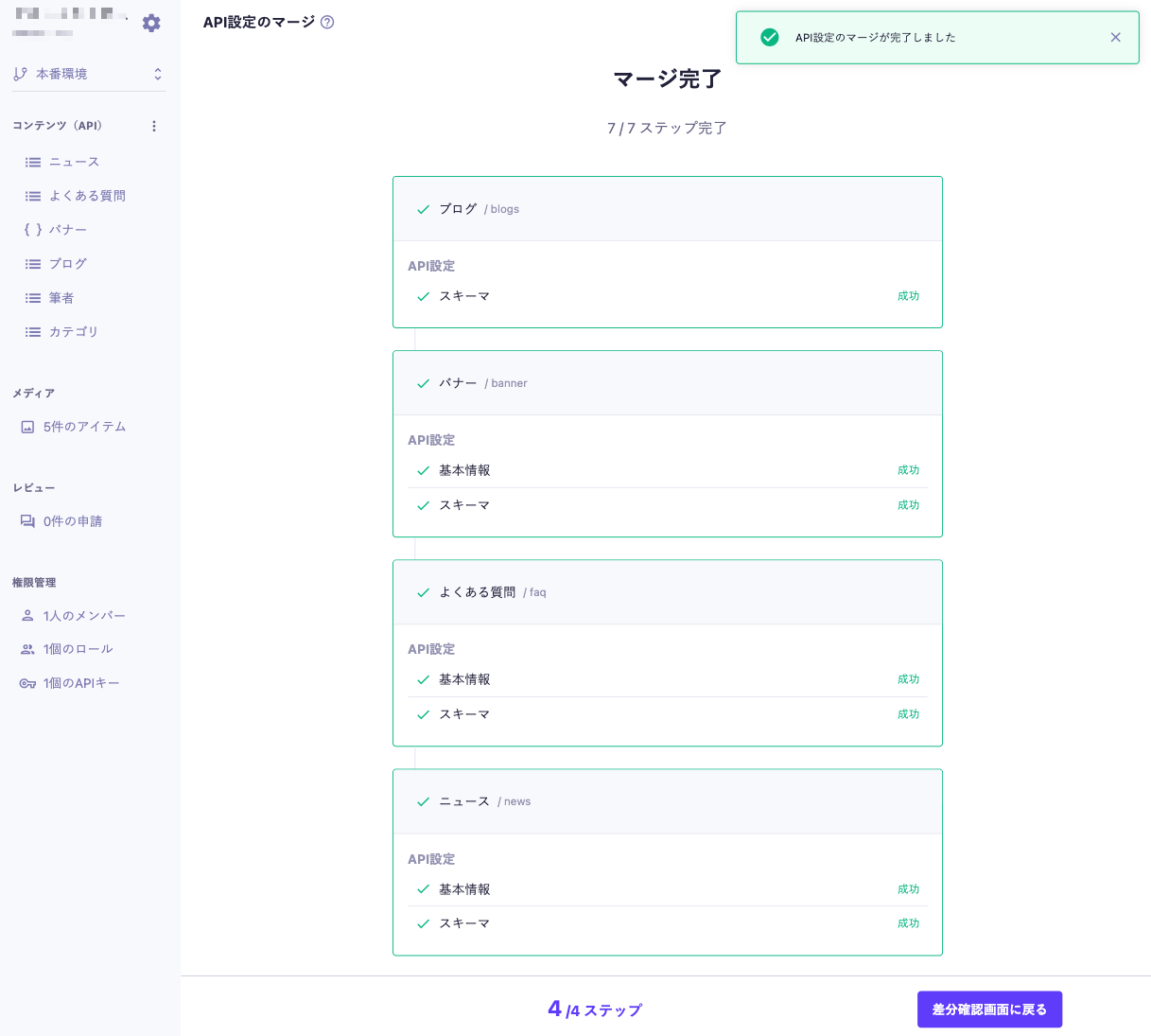
Once the merge starts, the processing status for each API will be displayed in order of processing. The merge is complete when all processes show "Success" and "Merge Complete" is displayed.
If a process fails, the processing of subsequent APIs will be skipped. Please refer to "Other Notes" for the response method.
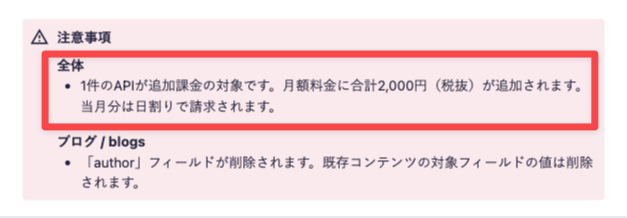
A new API may be created through merging, and additional charges may apply if the number of APIs exceeds the limit of your contracted Plan.
In environments created with the multiple environments feature, permission management cannot be used, so the permissions required to execute a merge depend on whether the source and destination include the production environment.
The permissions related to merging are as follows:
Basically, read permission is required for the source, and permissions for modification operations are required for the destination.
With the role that has read access to the environment set to "Only environments with known URLs," you cannot select the source environment from the list. Therefore, you can only perform merges from the production environment to the currently displayed environment.
Merge Direction | Source | Destination |
|---|---|---|
Production environment → Other environment | ||
Other environment → Production environment | ||
Other environment → Other environment |
The merge targets are only API Settings and Custom Field Settings. Content and Media will not be copied from the source during the merge.
The following fields are subject to field settings merging, but the set initial values will not be merged. The existing fields in the merge destination will retain their initial values. For newly created fields, please set them in the merge destination environment after the merge.
The following settings are excluded from the merge.
These settings will not be detected as differences even if they differ between the source and destination, so the settings in the merge destination will remain unchanged. Newly created APIs due to the merge will be in an unconfigured state, so please set them in the merge destination environment as needed.
Depending on the changes, it may be necessary to delete the target or delete and then recreate it, rather than updating the existing settings in the merge destination.
Changing the API endpoint will be processed as deletion and recreation in the merge destination, rather than updating the existing API.
However, for list-type APIs, if there is content in the API to be deleted, the API cannot be deleted, and the merge cannot be executed.
The object format API will execute deletion and recreation even if the content exists. In this case, the existing content will be lost.
If the API to be deleted is referenced by other APIs, you need to either include the referencing APIs in the merge target or merge them first. In that case, the content reference fields and multiple content reference fields of the referencing APIs will be deleted and recreated, and the values set in those fields will be removed.
Please check the merge eligibility and notes on the merge confirmation screen.
Recommended Actions
Changing the endpoint of the target API may affect the execution of Webhooks and integrations with sites and external services that utilize the API. Please check the impact before making any changes.
After creating an environment, fields and custom fields added individually in each environment will not be recognized as the same if their IDs differ between the source and destination. In this case, the destination will process it as deletion and recreation rather than updating the existing field. The content will not be deleted, but the values set in the field will be removed.
However, fields and custom fields that have existed since the creation of the environment will be recognized as the same even if their IDs are changed.
Please check the merge confirmation screen for merge eligibility and important notes.
Recommended Actions
Changing the Field ID or Custom Field ID of the merge destination may affect the execution of Webhooks and integrations with sites or external services using the API. Please check the impact before making any changes.
During the merge, the settings of the destination are updated based on the source API settings. Therefore, APIs or fields that exist only in the destination and not in the source will be marked for deletion. For example, fields that were added independently in the destination environment will be deleted because they do not exist in the source.
If there is content set for the APIs or fields marked for deletion, that data may be lost. If you want to keep the APIs or fields in the destination, please check the deletion targets on the difference confirmation screen and exclude the relevant APIs from the merge.
